
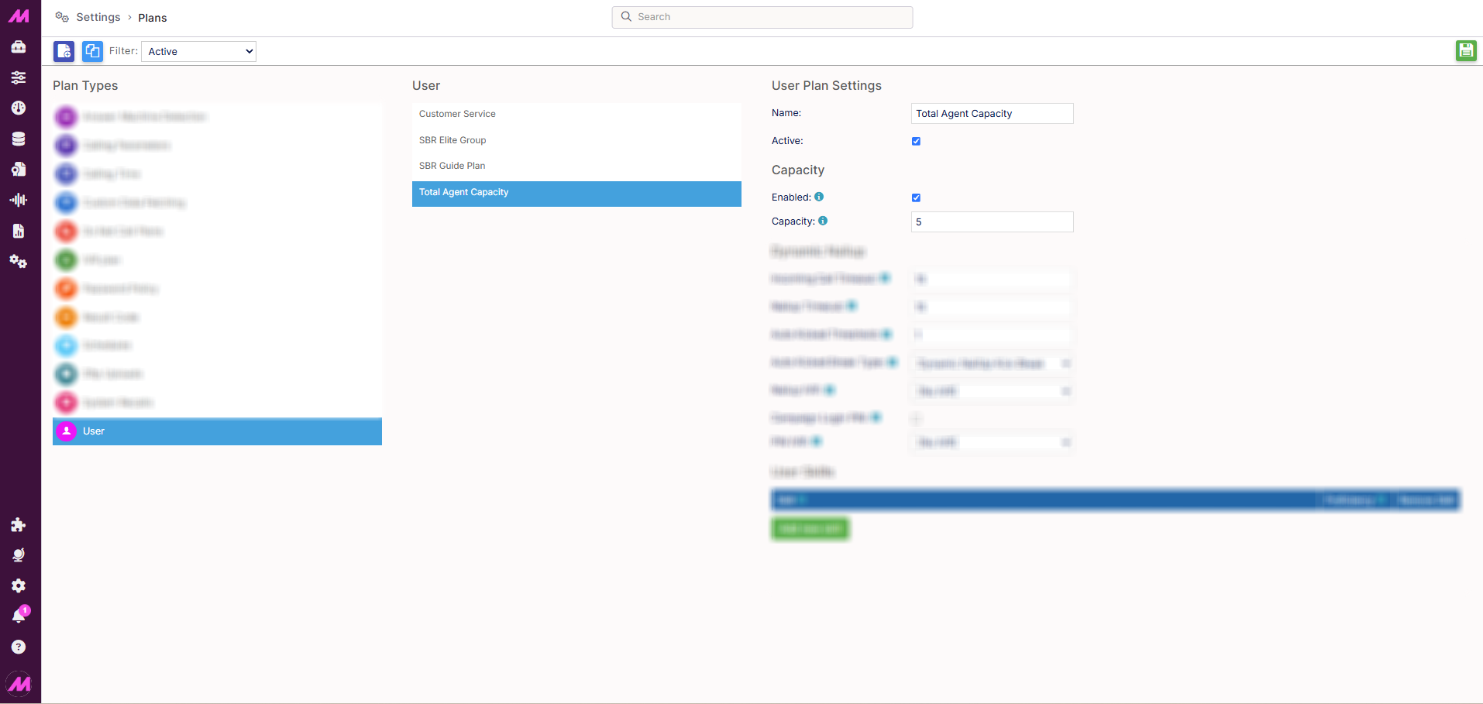
Agent Capacity Plans
Agent capacity plans let you limit specific agents to a capacity level that's different from the one set on your interaction channels, reducing the maximum number of interactions they can handle at once. You'll find this under Settings > Advanced > Plans > User, in the Capacity section of a user plan.
Setting up capacity in a user plan
- Go to Advanced > Plans and select User from the list of plan types.
- Select an existing plan to edit, or create a new one.
- In the Capacity section, enter the capacity you want to assign to the plan.
- Select Save.
Assigning a plan to users
User plans are assigned to users via the CTU page.
How capacity is calculated
When a plan is assigned, the user's capacity is whichever is lower: the capacity set on the channel, or the capacity set on the plan.
For example, if the plan capacity is set to 3 and the user has access to three channels each set to 5, the user can receive up to 1 interaction from each channel, for a total of 3. If one of those channels has a capacity of 1, the user receives 1 interaction from that channel and 2 distributed across the remaining channels.
If an agent's capacity is lower than the number of queues they're assigned to (for example, a capacity of 3 across 5 different interaction queues), they still receive interactions for every channel. The system fetches these in its usual order, prioritising interaction queues by highest priority and longest wait time.