
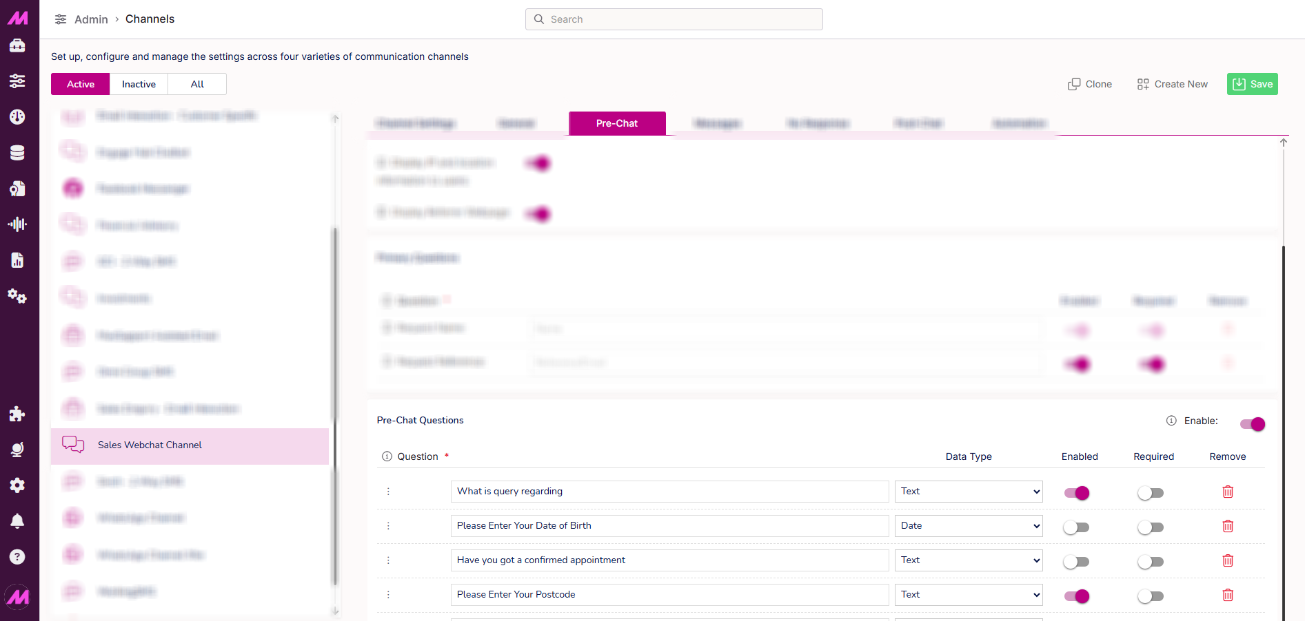
The DPA form can be created by an admin that has access to Channel Admin. This is only available on webchat.
- The questions have a max length of 100 characters.
- Questions can be removed; you will be prompted to confirm.
- The questions can be marked as required which will require the customer to enter something in their input field before they can start the chat.
- The questions can be enabled/disabled, this will show/hide the questions in the DPA form and in the Contact Hub view for the agent.
- The questions can be re-ordered by dragging them.
- The questions can have different data types;
- Text
- Text area
- Number
- True/False
- Date
- Time
- Dropdown - adds a + option button to give the choices for the dropdown.

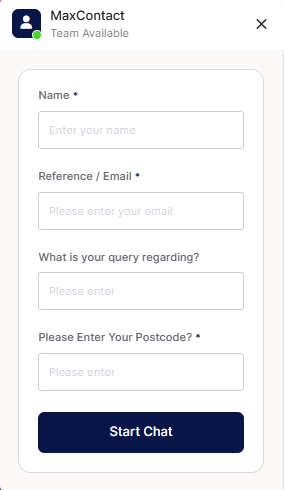
Customer View of Pre Chat Questions
The customer will see the questions before entering chat with an agent. If validation is selected, they will have to answer before being allowed to select 'Chat now'.
Agents' View of Pre Chat Questions
The user will be shown the questions and answers of the customer’s responses once the session is created.
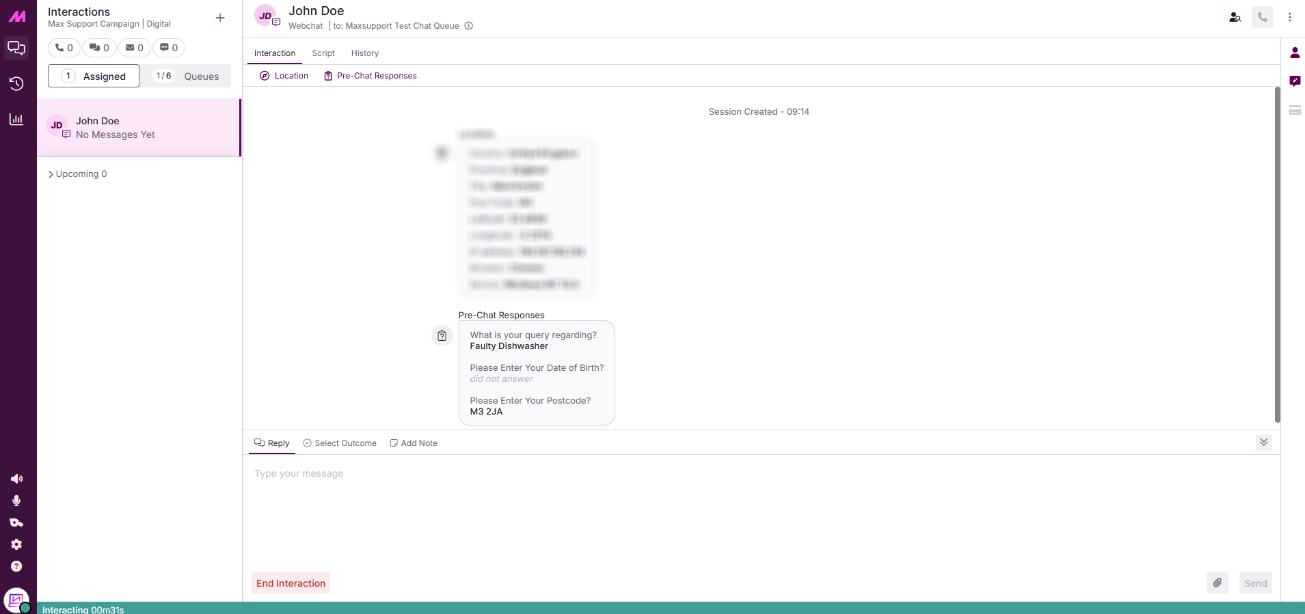
- This can be hidden by clicking the padlock icon (bottom left), clicking it again will show the responses once more.
- The icon will only be visible if the questions are enabled and there are questions that have been added for the channel.
- When transferring the chat to another agent, they too will be able to see the information, only if that channel for that queue has the questions enabled.