
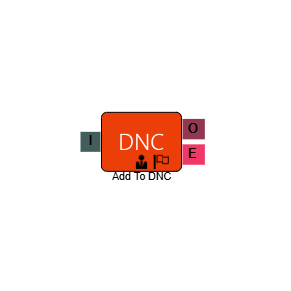
Add to DNC
The Add to DNC element lets callers remove themselves from your call list during an IVR interaction — without needing to speak to an agent. When a caller reaches this element, they are added to the DNC category you specify.
It is most commonly used in Message Blast campaigns, where providing an opt-out option is a compliance requirement.
Connections
| Connection | Description |
|---|---|
| I – Input | The entry point for this element. Connect from the preceding element in your IVR flow. |
| O – Output | The path taken when the number has been successfully added to the DNC list. |
| E – Error | The path taken if the element encounters an error — for example, if the number cannot be processed. |
Settings
| Field | Description |
|---|---|
| Name | Give the element a clear name so it is easy to identify within your IVR flow. |
| Description | Optional. Add a note to explain the element's purpose — useful in more complex flows. |
| Agent Can See This | When enabled, agents can transfer a live caller directly to this element via the IVR transfer option. |
| Supervisor Can See This | When enabled, the element is visible in the IVR transfer list for users with a Supervisor role. It remains hidden from all other users. |
| Result Code | Assign a result code to this element. This allows opt-out calls to be tracked and reported on separately. |
| DNC Category | Select the DNC list you want the caller's number added to. The available lists are pulled from your configured DNC categories. |
Example
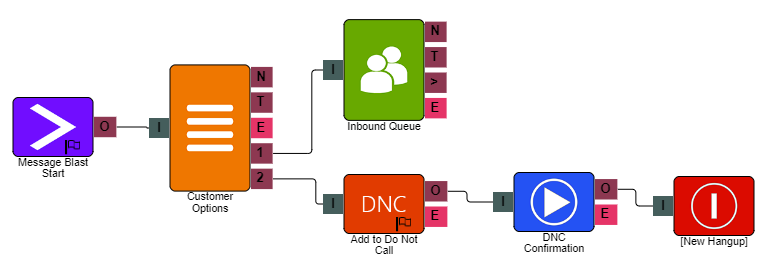
In the example above, when a caller connects they are presented with two options: press 1 to be routed to an agent, or press 2 to remove themselves from the call list. Selecting 2 routes them to the Add to DNC element, where they enter their number to opt out.