
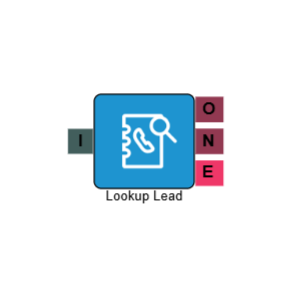
Lookup Lead
The Lookup Lead element searches for a lead record using a value other than the caller's inbound phone number. This is useful when the automatic number-based matching at the start of an inbound call is not sufficient — for example, when a caller rings in from a different number to the one held on their record, or when you want to match based on an account reference entered earlier in the IVR.
Connections
| Connection | Description |
|---|---|
| I – Input | The entry point for this element. Connect from the preceding element in your IVR flow. |
| O – Output | The path taken when a matching lead record has been found. |
| T – Timeout | The path taken if the element times out before completing the lookup. |
| N – No Match | The path taken when no matching lead record can be found for the value provided. |
| E – Error | The path taken if the element encounters an error during the lookup. |
Settings
Field | Description |
| Name | Give the element a clear name so it is easy to identify within your IVR flow. |
| Description | Optional. Add a note to explain the element's purpose — useful in more complex flows. |
| Agents Can See This | When enabled, agents can transfer a live caller directly to this element via the IVR Transfer option. |
| Supervisor Can See This | When enabled, the element is visible in the IVR Transfer list for users with a Supervisor role. It remains hidden from all other users. |
| Result Code | Assign a result code to this element. This result code is applied if the caller disconnects while in the element. |
| Lookup By | Choose whether the lookup should be carried out against the Phone Number or Reference ID |
| Search Using | Select between Phone Number or Other Property. Other Property will present an input box allowing you to define the property to search against. e.g. An inbound call where you're asking a customer to enter a reference number. You can set the element name and property here. |
| Limit Search by Tag | If tagging is enabled, allows you to limit the lookup search by selected tags. |
| Keep Old Match on No Match | If ticked and the call already has a lead matched to it (either automatically by the system settings or another Lookup Lead element), then that match will not be discarded in case a lead lookup using the elements set parameters doesn't result in a match. |
| If Multi-Match | Allows you to select from different options, in the event a caller is matched to multiple leads, which should it align with for the call.
|
| List Source | Determines what to set as the created Leads List
|