
Outbound Skills & Groups
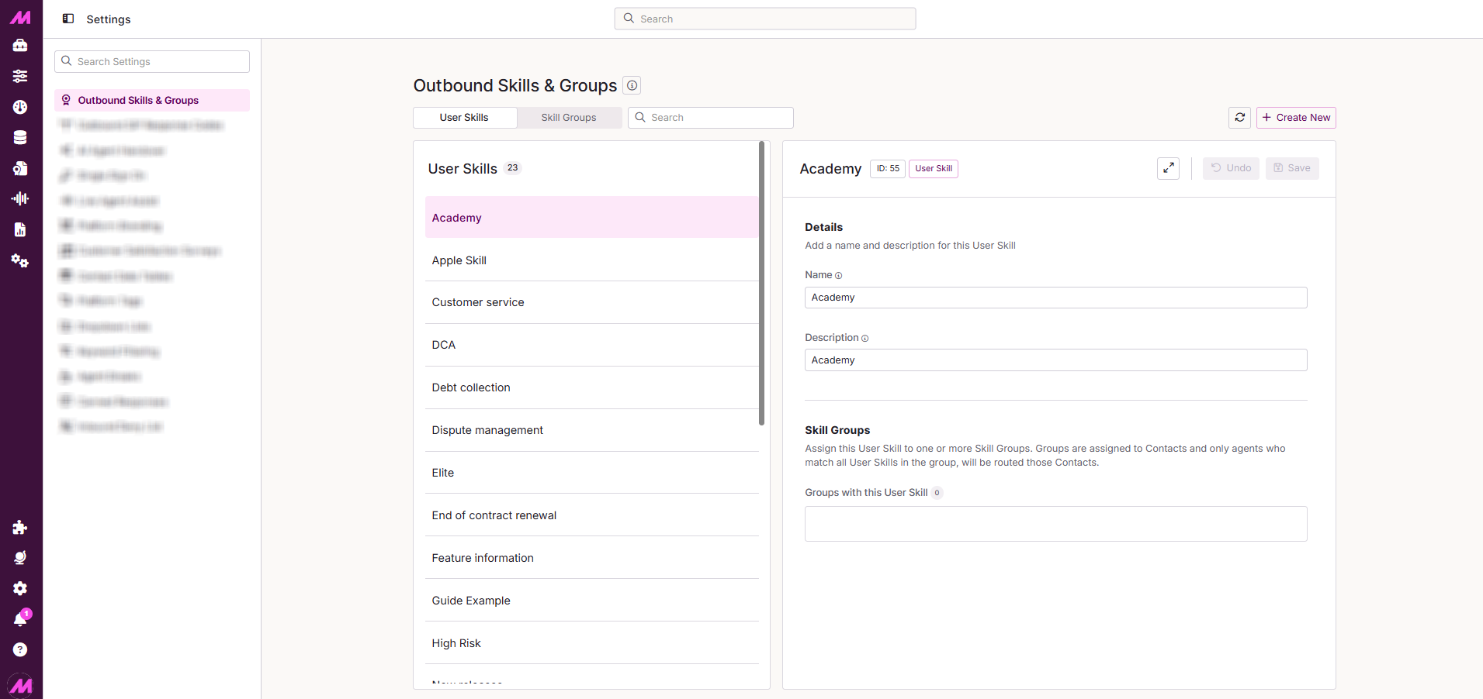
The Outbound Skills & Groups page is where you create and manage the User Skills and Skill Groups used by Outbound Skill-Based Routing. User Skills are individual attributes assigned to agents, while Skill Groups combine one or more User Skills to control which agents are eligible to receive specific leads.
To access it, go to Centralised Settings > Outbound Skills & Groups.
Page controls
| Control | Description |
|---|---|
| User Skills | Shows the User Skills currently created on the system. |
| Skill Groups | Switches the view from User Skills to Skill Groups. |
| Search | Searches within the currently selected tab by the name of the User Skill or Skill Group. |
| Refresh | Reloads the data for the page. |
| Create New | Creates a new User Skill or Skill Group, depending on which tab is open. |
User Skills tab
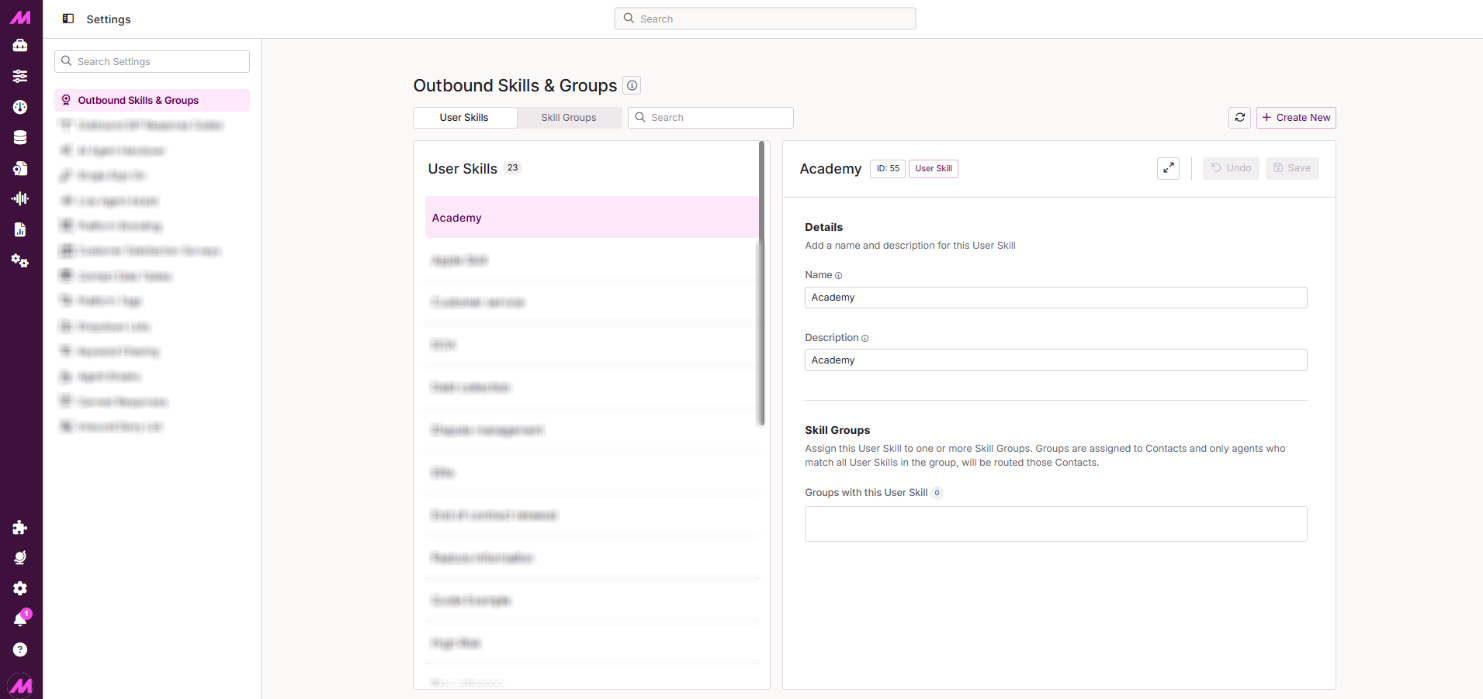
The left-hand panel lists all User Skills currently created on the system. Selecting a User Skill populates its details in the right-hand panel.
| Control | Description |
|---|---|
| Name and ID | Displayed along the top of the right-hand panel. The ID is useful for API processes — see the Management API documentation for more detail. |
| Expand | Expands the panel to take up the full view. |
| Undo | Reverts any unsaved changes. |
| Save | Saves any changes made. |
Details
| Field | Description |
|---|---|
| Name* | The name given to the User Skill. We recommend using a specific name so its purpose is clear to all your users, as this is visible throughout the platform. Must be at least 1 character long. |
| Description | Describes the User Skill's intended use in more depth. As the number of skills you create grows, this helps you identify exactly which is which. |
* Required field
Skill Groups
Shows which Skill Group the User Skill is assigned to. Groups are assigned to contacts, and only agents who match all User Skills within a group will be routed contacts associated with it. Select into this section to assign or unassign the skill to a group. Changes here take effect immediately.
Skill Groups tab
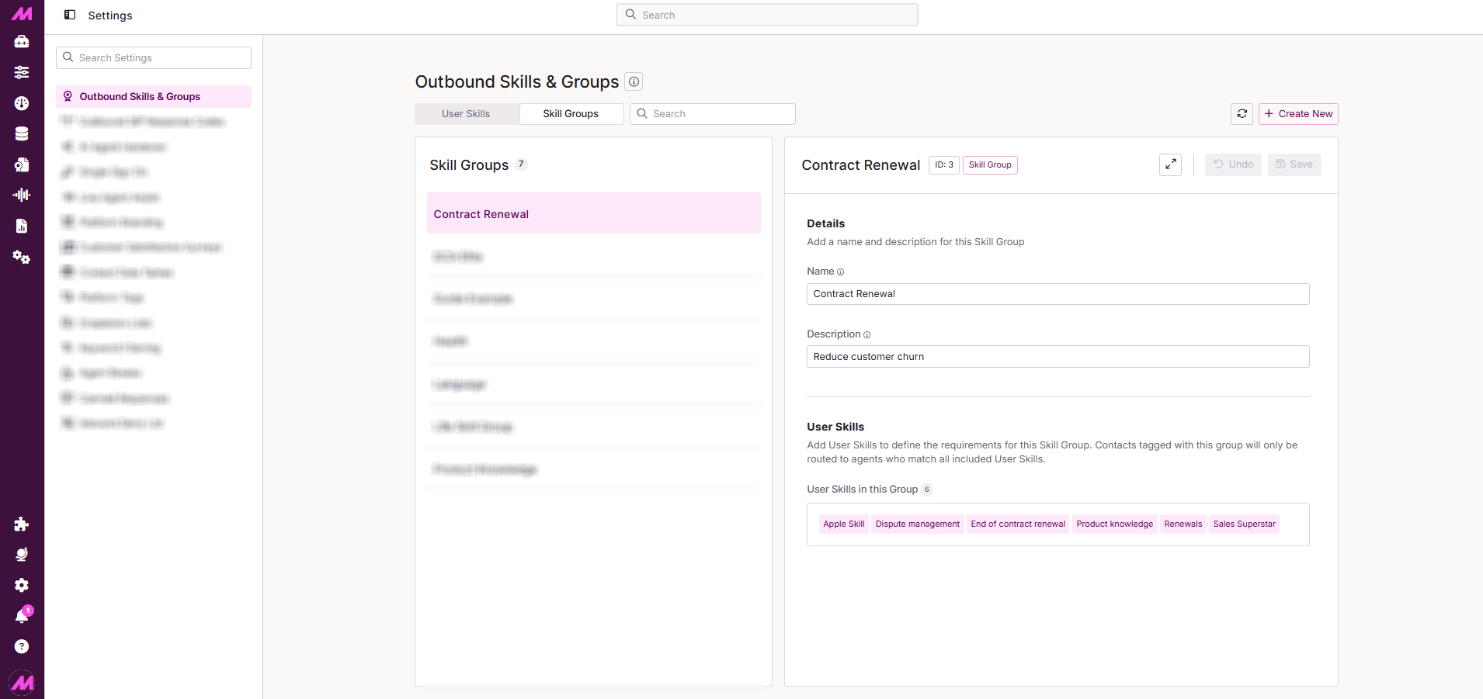
The left-hand panel lists all Skill Groups currently created on the system. Selecting a Skill Group populates its details in the right-hand panel.
| Control | Description |
|---|---|
| Name and ID | Displayed along the top of the right-hand panel. The ID is useful for API processes — see the Management API documentation for more detail. |
| Expand | Expands the panel to take up the full view. |
| Undo | Reverts any unsaved changes. |
| Save | Saves any changes made. |
Details
| Field | Description |
|---|---|
| Name* | The name given to the Skill Group. We recommend using a specific name so its purpose is clear to all your users, as this is visible throughout the platform. Must be at least 1 character long. |
| Description | Describes the Skill Group's intended use in more depth. As the number of skill groups you create grows, this helps you identify exactly which is which. |
* Required field
User Skills
Shows which User Skills are currently associated with the selected Skill Group. Select into this section to assign or unassign User Skills to the group. Changes here take effect immediately.