

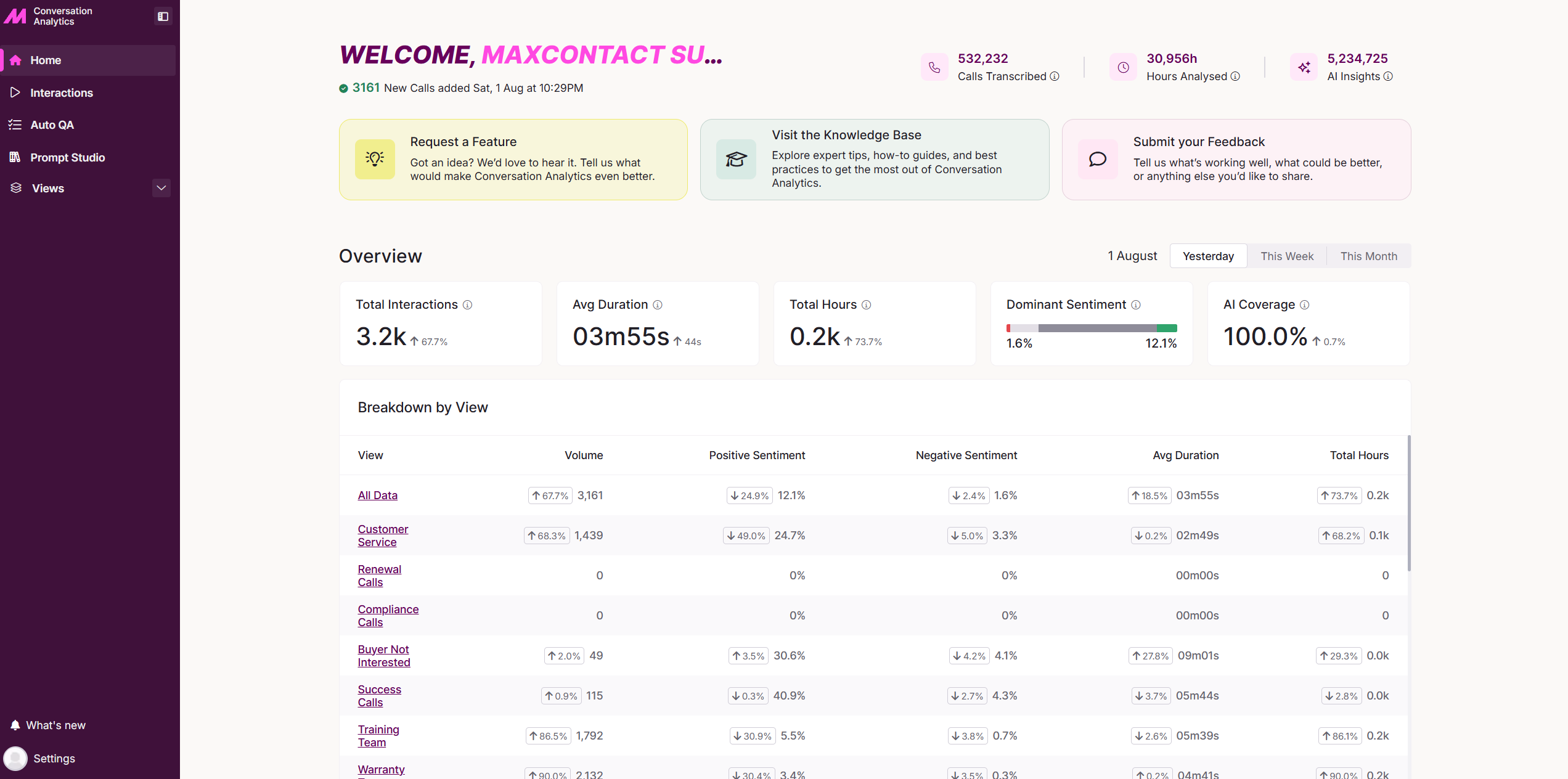
Welcome
The Welcome section gives you an at-a-glance view of how Conversation Analytics is performing. It shows the total number of calls transcribed, the total hours analysed, and the amount of AI-generated insights across those calls.
From here, you can also access the Help Desk to learn more about the product, or raise feedback and feature requests directly with the team.
Overview
The Overview section gives you a clear snapshot of key statistics from all analysed calls within your selected date range. Quickly switch the date range between Yesterday, This Week, or This Month to review performance over time.
| Metric | Description |
|---|---|
| Total Interactions | The total number of calls that took place during the selected time period. |
| Average Duration | The average length of calls, including short calls under 30 seconds. |
| Total Hours | The total talk time from AI-analysed calls lasting 30 seconds or longer within the selected time period. |
| Dominant Sentiment | A breakdown of overall call sentiment across all calls in the selected period. |
| AI Coverage | The percentage of calls, 30 seconds or longer, that were processed by AI during the selected time period. |
Breakdown by View
The Breakdown by View section provides a deeper look at performance data, grouped by the filter views you currently have in place. See the Views guide for more on setting these up.