
How to Remove Lead Data
GDPR gives individuals the right to be forgotten by companies that hold data on them. MaxContact supports this by letting you anonymise a lead's personal information in the Lead and Lead Phone tables, the two main tables that store personal data.
Removing a lead's personal information
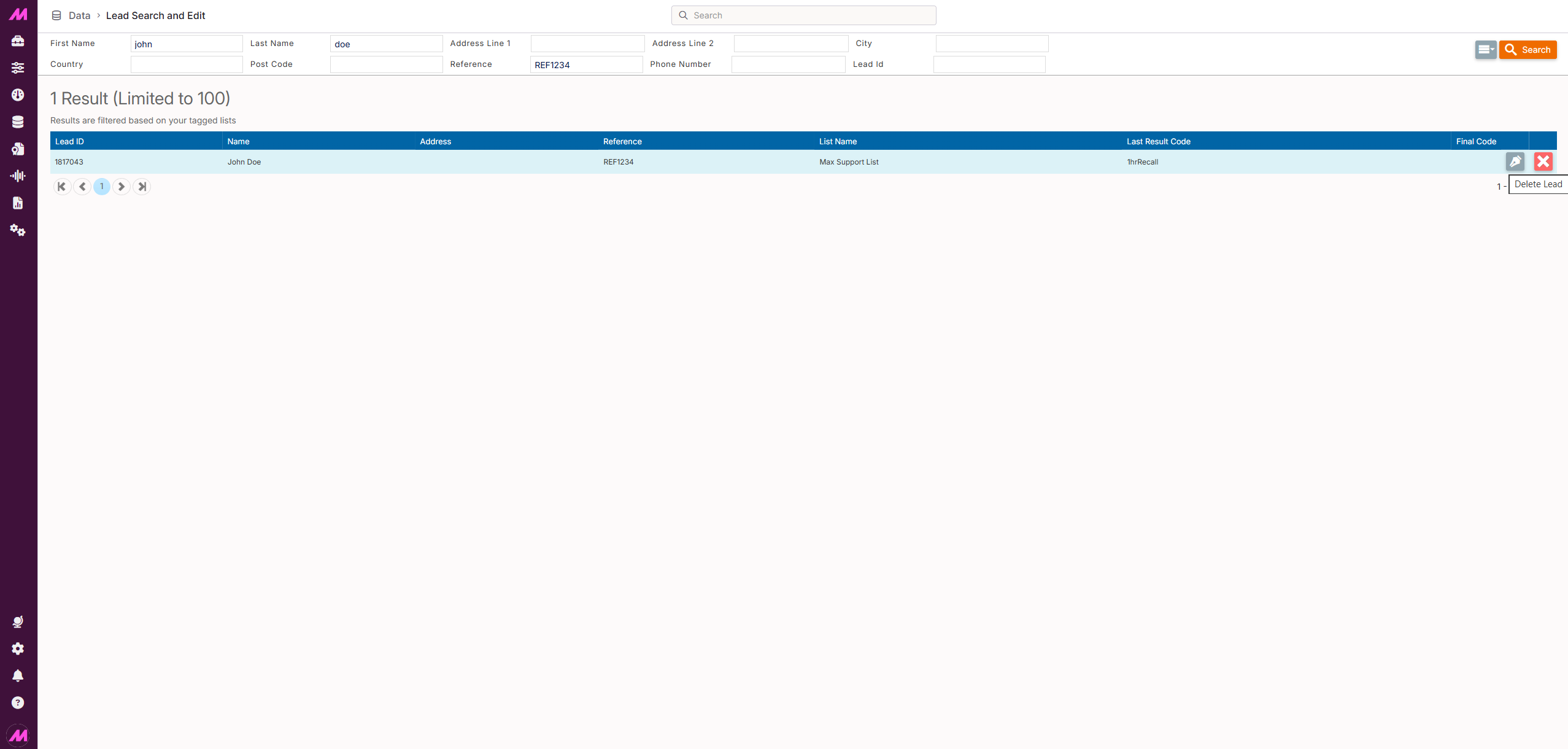
- Go to the Lead Search & Edit screen (Data > Data Handling > Lead Search & Edit).
- Enter search criteria to locate the person, for example their last name or phone number, and select Search.
- Once you've located their record, select the red X to the right of it.
- A message box warns that the data is about to be deleted. Select the DNC category the number should be added to from the dropdown, then select OK to confirm.
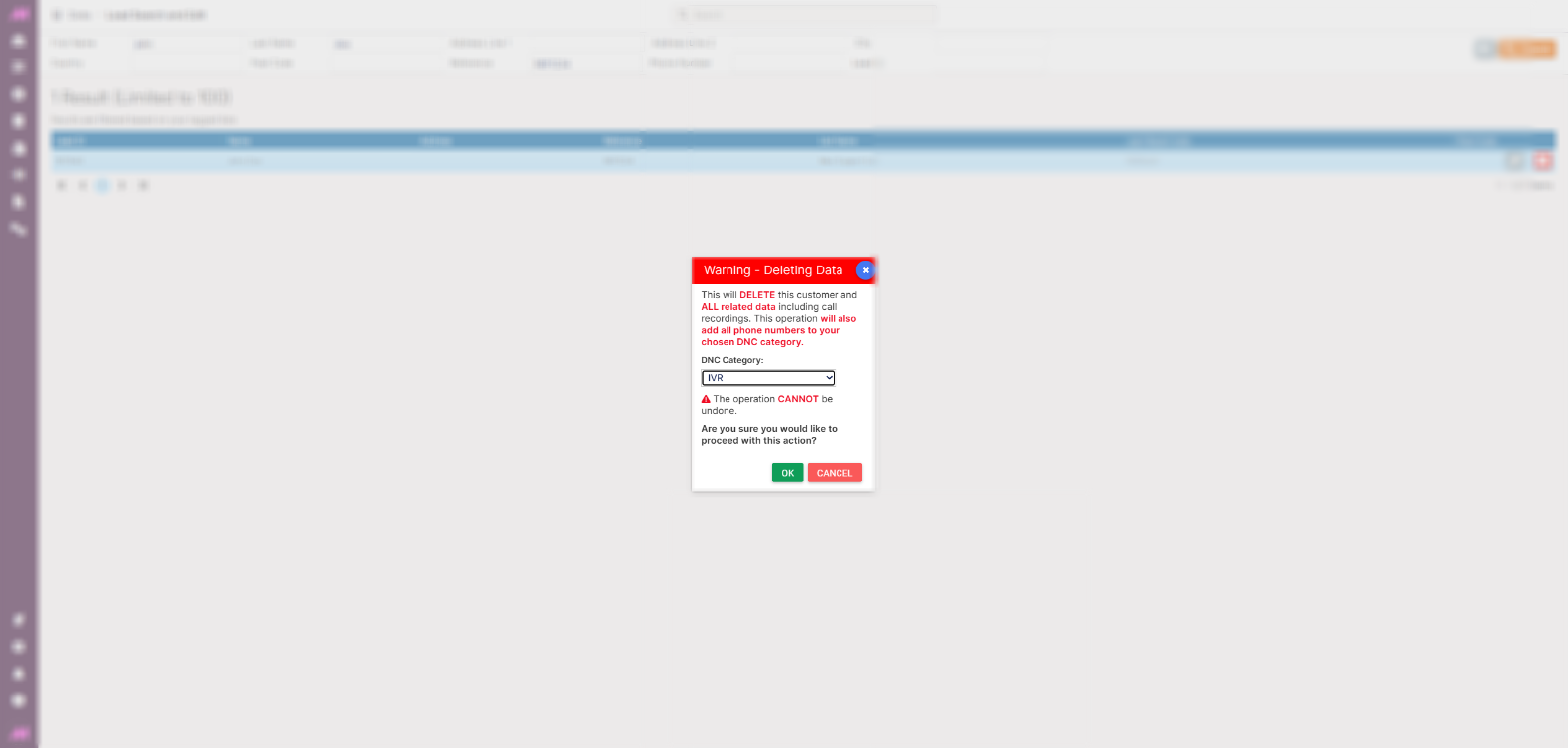
Note. The lead's number is automatically added to the DNC list you select, to prevent the customer being called again if their number is later imported as a new lead.
What happens when a lead is removed
The personal information fields in the Lead and LeadPhone tables are sanitised, and other fields are modified so the record can no longer be called. The lead's phone numbers are added to the DNC table. Statistics for the lead remain available for reporting, but all identifying information about the lead is removed and can't be viewed.