
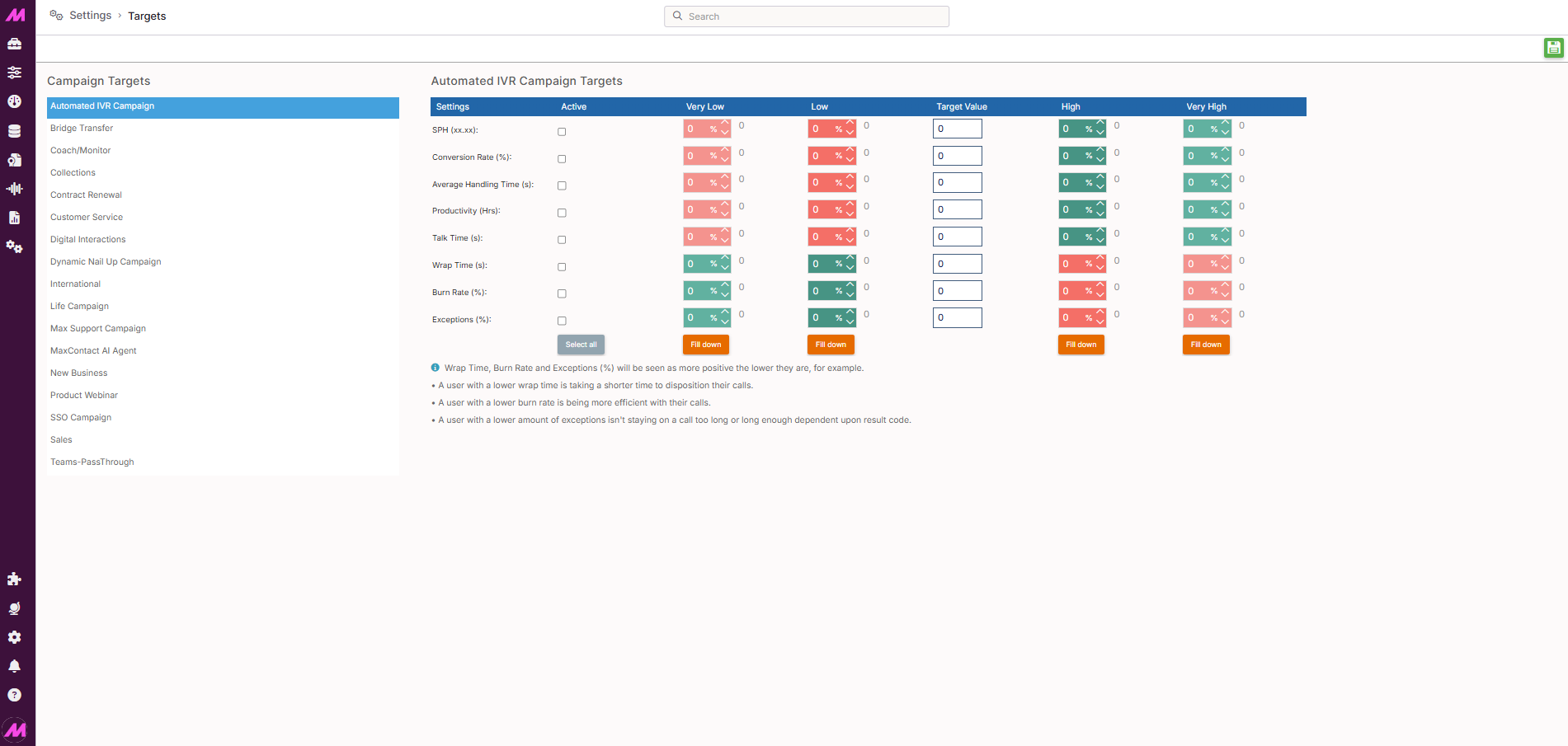
Targets
The Targets page is where you configure performance targets for your campaigns. Once set, these targets feed into the Target widget on dashboards and wallboards, giving supervisors a live view of how performance compares to the expected values.
To access it, go to Settings > Advanced > Targets.
The right-hand panel lists all active campaigns with targets configured. Different targets can be set for each campaign independently, allowing you to reflect different expectations across different types of work.
Configuring campaign targets
Select a campaign from the right-hand panel to load its target settings in the main area of the page.
Target fields
The following metrics can have targets set against them. Enter a value directly into the field or use the up and down arrows to adjust it.
| Metric | Description |
|---|---|
| SPH | Successes per hour. The expected number of successful outcomes that should be achieved in one hour. Entered to two decimal places. |
| Conversion rate (%) | The expected percentage of calls or interactions that result in a success. |
| Average handling time (s) | The expected average time in seconds spent handling each interaction, including talk time and wrap time. |
| Productivity (hrs) | The expected number of productive hours. |
| Talk time (s) | The expected average time in seconds spent talking. |
| Wrap time (s) | The expected average time in seconds spent wrapping/dispositioning. |
| Burn rate (%) | The acceptable percentage of leads that are burned — dispositioned as final with a call duration below the minimum expected handle time. |
| Exceptions (%) | The acceptable percentage of calls that fall outside the expected handle time thresholds set on result codes. |
Threshold bands
For each target metric, you can set four percentage thresholds that define performance bands relative to the target value.
| Band | Description |
|---|---|
| Very low | The percentage below target at which performance is considered very low. Entered as a positive number — the system treats it as a negative figure. For example, entering 20 means performance 20% below target triggers the Very Low band. |
| Low | The percentage below target at which performance is considered low. Entered as a positive number and treated as negative. For example, entering 10 means performance 10% below target triggers the Low band. |
| High | The percentage above target at which performance is considered high. |
| Very high | The percentage above target at which performance is considered very high. |
Note. The Very Low and Low bands are entered as positive numbers in the settings, but the system applies them as negative percentages relative to the target. A Very Low value of 20 means the band triggers when performance is 20% below target, not 20% above it.