
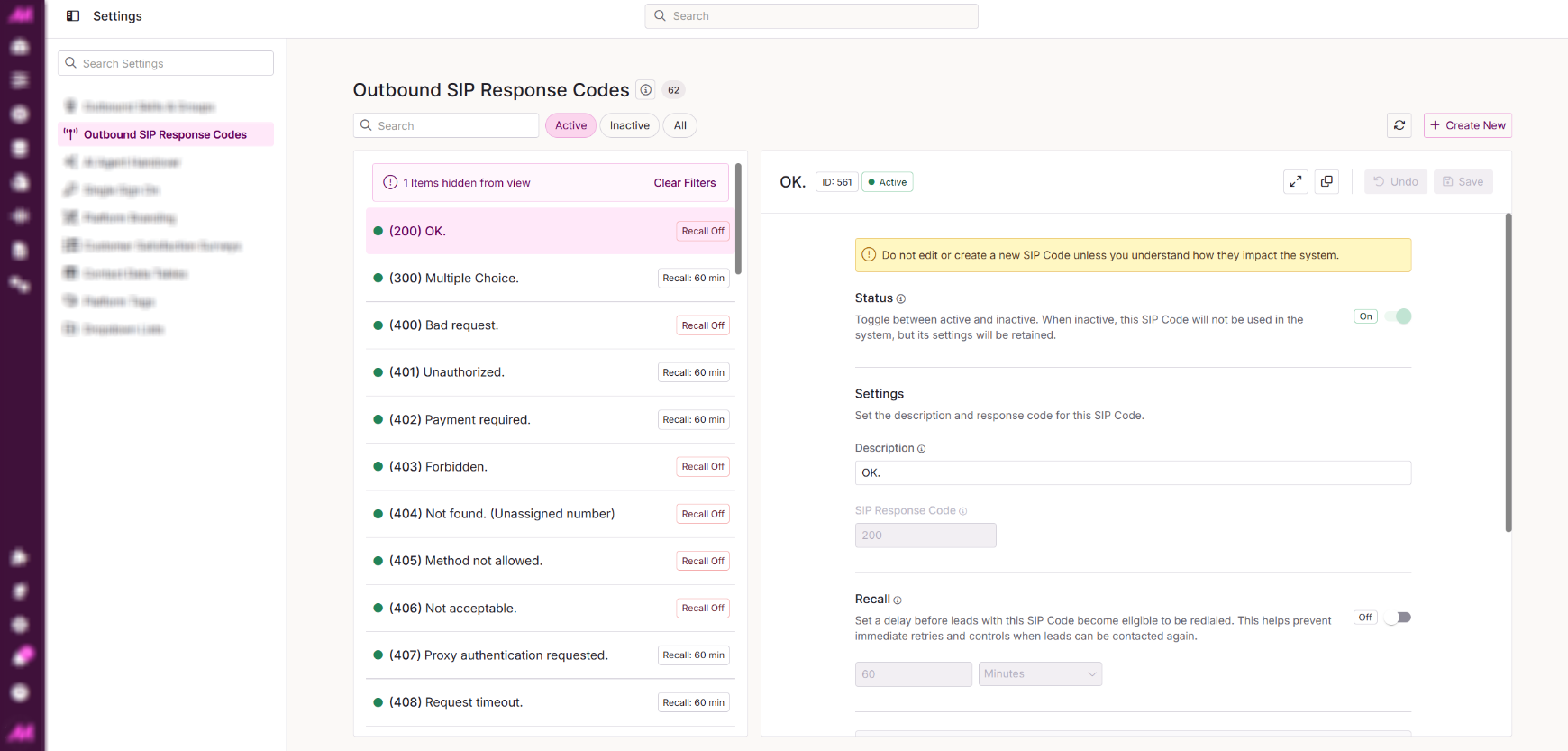
Outbound SIP Response Codes
When MaxContact places an outbound call, the external network returns a SIP response code for each call outcome. The Outbound SIP Response Codes page allows you to configure the recall time associated with each code. Note that recall times set here may be overridden by user or system call outcome codes.
SIP response codes are grouped into three categories:
- 4xx Client Failure Responses. Something happened on our side of the call.
- 5xx Server Failure Responses. Something happened on their side of the call.
- 6xx Global Failure Responses. Something happened in between (typically a network issue).
For a full breakdown of what each code means see the SIP Response Codes reference on Wikipedia.
The SIP Codes page is used in line with the 'Can Recall' setting configured within the System Recalls area of the Plans page.
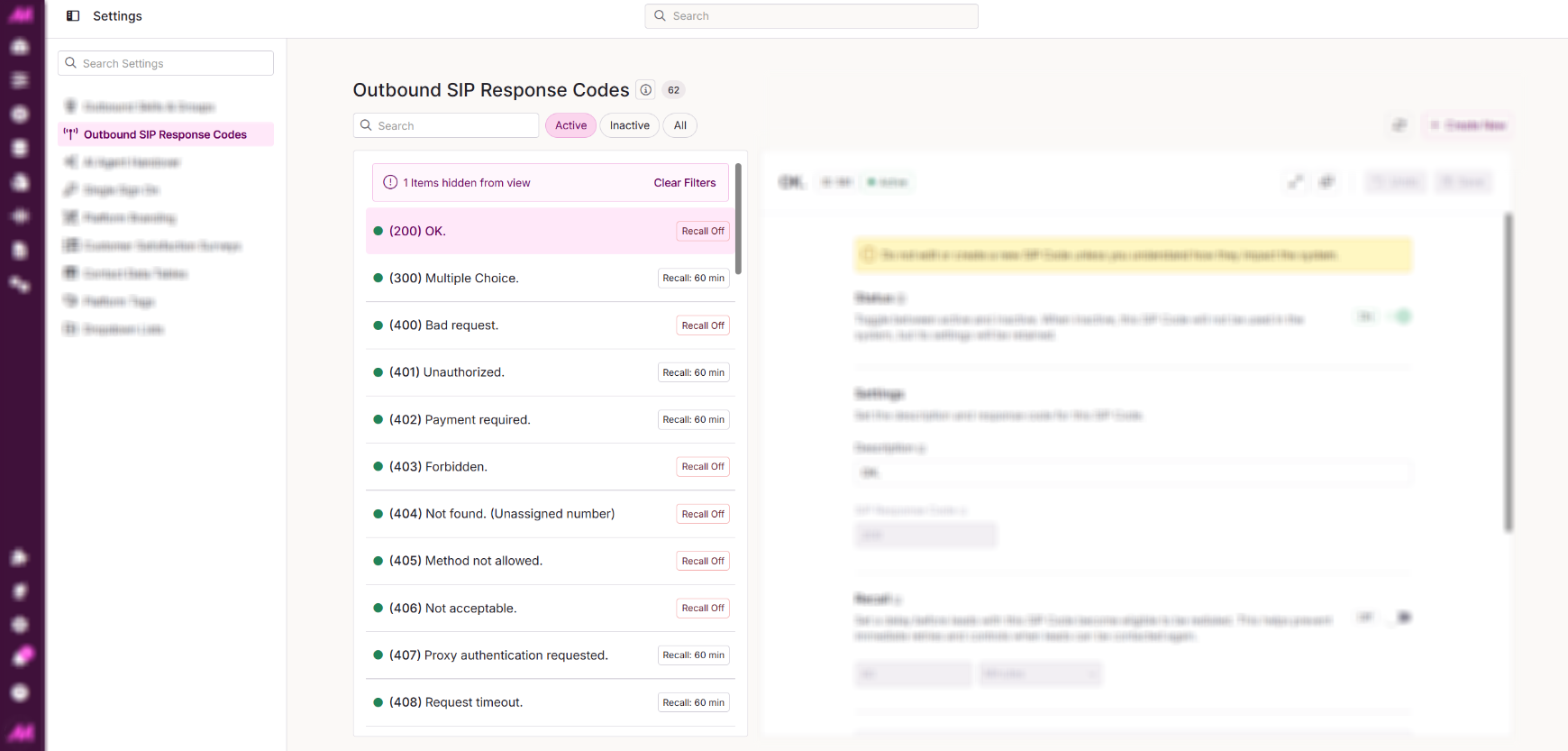
SIP Code List
The left-hand panel displays all pre-configured SIP codes that the MaxContact dialler will receive from the external carrier. Next to each code, you can see whether the lead will be recalled and the current recall scale configured.
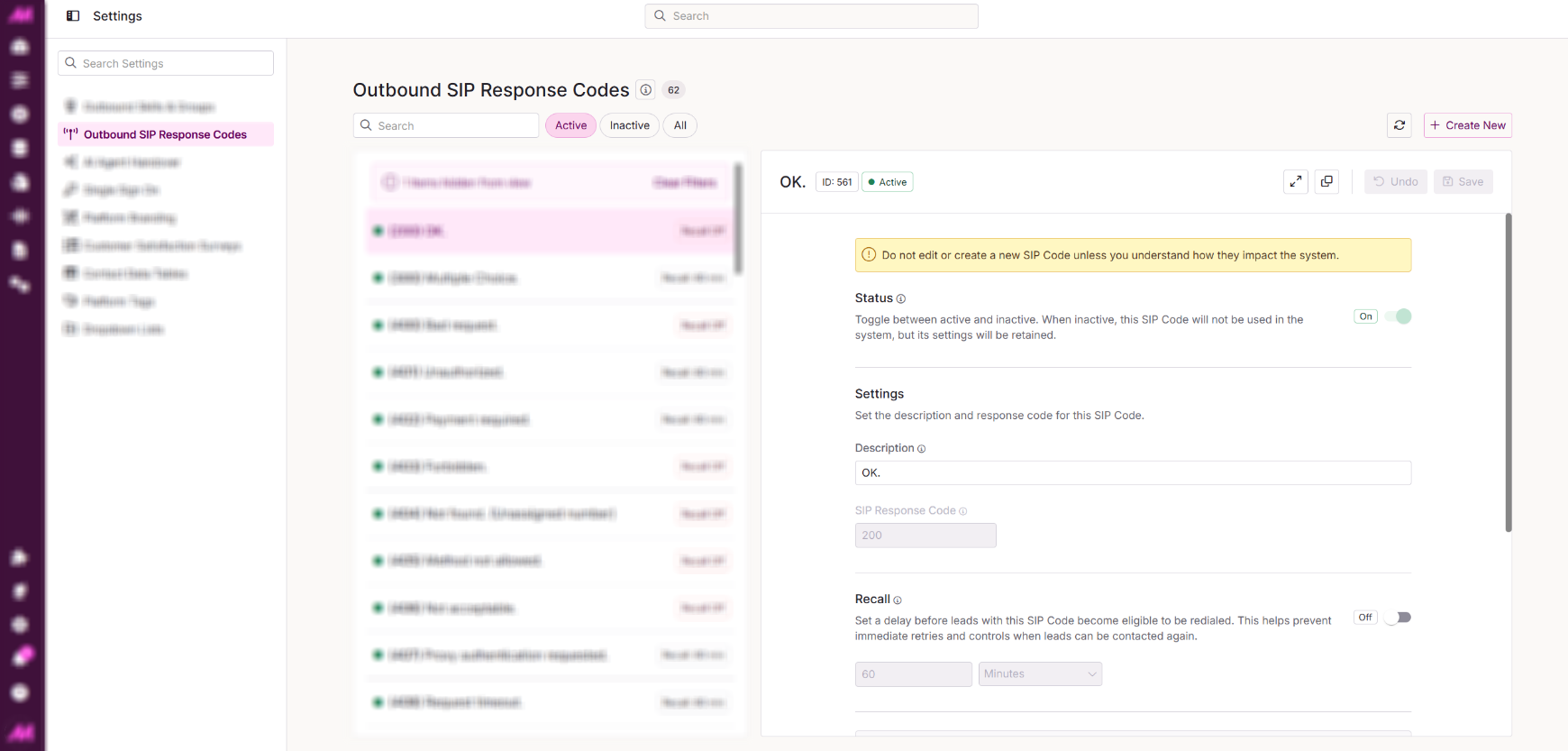
SIP Code Settings
| Field | Description |
| SIP Response Code | The code returned by the external network. This cannot be changed on default codes. |
| Active | When ticked, the code is active and in use. Unticking will make it inactive and hidden, but will not delete it. This cannot be changed on default codes. |
| Description | A description of what the code relates to. For default codes, it is best not to change this. |
| Recall | Set whether lead phones assigned this code should be recalled for a future dial attempt. |
| Recall Time | Available when Recall is enabled. Sets the amount of time (in days, hours, and minutes) before the lead phone becomes eligible to be dialled again. |
Important: Do not create a new SIP code unless you fully understand what each field means and the effect it will have on dialling behaviour.