
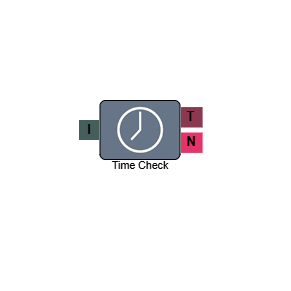
Time Check
The Time Check element routes calls based on whether the current time falls within your configured opening hours. When a call arrives within the hours you have set, it follows the True (T) path and continues through your standard IVR flow. When a call arrives outside those hours, it follows the No Match (N) path — typically to an out-of-hours message.
The element is usually placed near the start of an IVR flow, after the Start element or a welcome message.
Connections
| Connection | Description |
|---|---|
| I – Input | The entry point for this element. Connect from the preceding element in your IVR flow. |
| T – True | The path taken when the current time falls within the configured opening hours. Connect this to your welcome message or the next step in your inbound route. |
| N – No Match | The path taken when the current time falls outside the configured opening hours. Connect this to your out-of-hours message. |
Settings
| Field | Description |
|---|---|
| Name | Give the element a clear name so it is easy to identify within your IVR flow — especially useful if you have multiple inbound routes. |
| Description | Optional. Add a note to explain the element's purpose — useful in more complex flows. |
| Agent Can See This | When enabled, agents can transfer a live caller directly to this element via the IVR Transfer option. |
| Supervisor Can See This | When enabled, the element is visible in the IVR Transfer list for users with a Supervisor role. It remains hidden from all other users. |
| Result Code | Assign a result code to this element to track calls that pass through it. |
| Time Blocks | Click Add to configure your opening hours. You can add time blocks for up to seven days on a single element. If you are not open on certain days, simply do not add a time block for those days. The times set apply on a rolling weekly basis — they are not date-specific, so remember to update them if your hours change temporarily. |
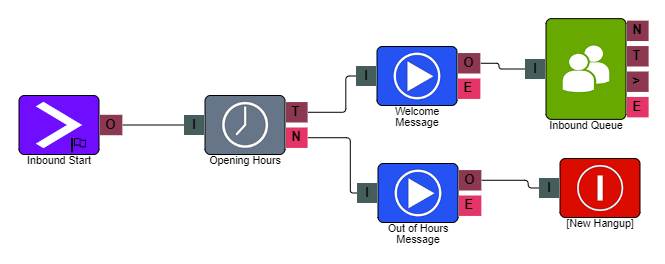
Example
In the example above, the Time Check element is placed after the Start element. The True (T) path connects to the main IVR Menu, routing callers through the standard flow during opening hours. The No Match (N) path connects to a Play element that delivers an out-of-hours message, followed by a Hang-up element.
Temporary closures
If you need to close for a set number of days, you can navigate to your IVR, select the Time Check element, and amend the times accordingly. Remember to change them back afterwards, as the configured times roll over each week.
For specific closure dates such as bank holidays, use a Blackout Days element instead. See Blackout Days for details.