
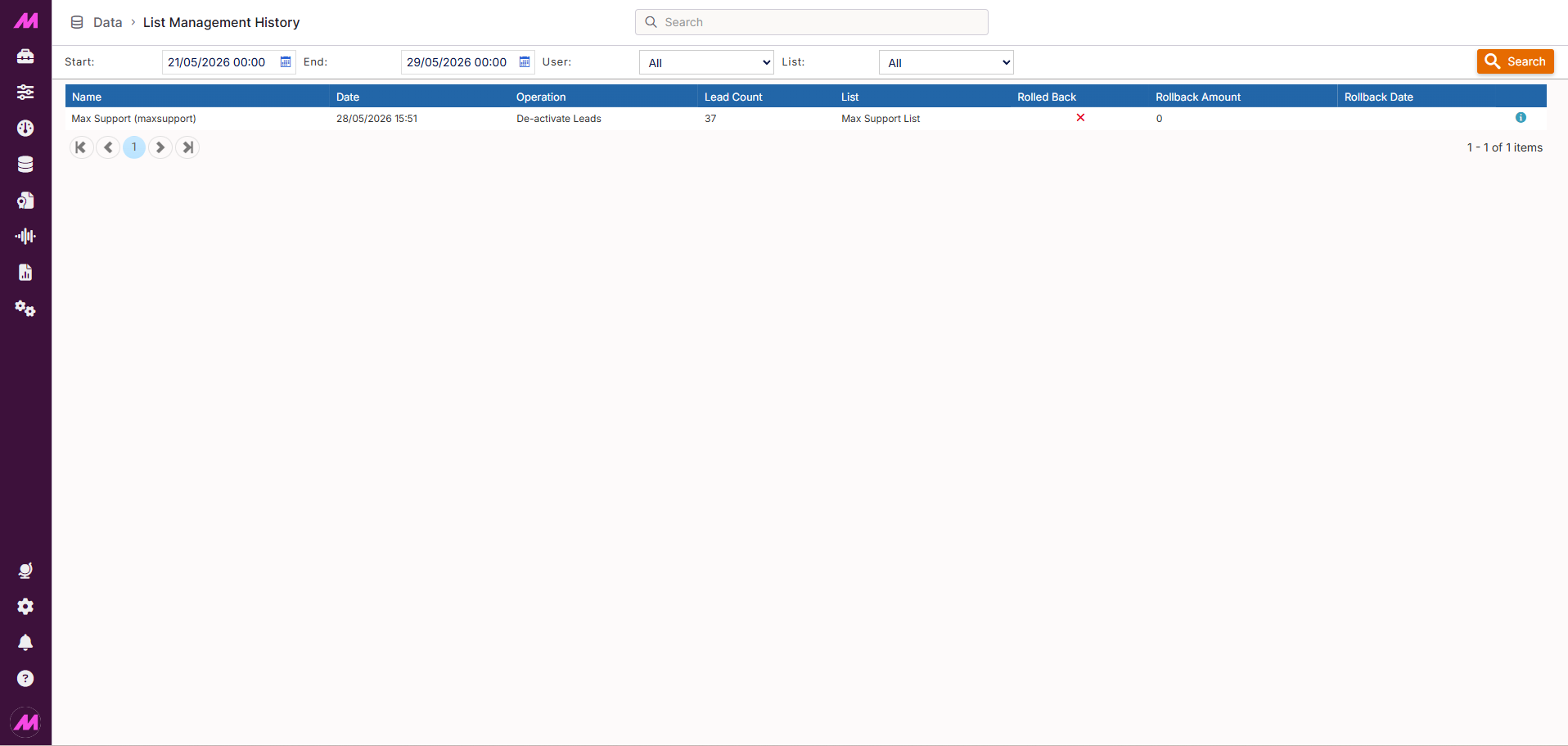
List Management History
The List Management History page gives you an audit trail of Deactivate and Reactivate operations carried out via List Data Manager. Each entry shows who ran the operation, when, how many leads were affected, and which list it was run on. You can also roll back an operation from this page if needed.
Note. Only Deactivate and Reactivate operations appear here. Move and Change Skill Group operations carried out in List Data Manager are not recorded on this page.
To access it, go to Data > Data History > List Management History.
Search and filter
| Option | Description |
|---|---|
| Start date | The start of the date range to search within. |
| End date | The end of the date range to search within. |
| User | Filter by the user who ran the operation. Select All to show operations from all users, or choose a specific user from the dropdown. |
| List | Filter results to operations carried out on a specific list. |
| Search | Applies the selected criteria and updates the results table. |
History table
The table lists all List Data Manager operations that match your search criteria. Each row represents one operation.
| Column | Description |
|---|---|
| Name | The name and username of the person who ran the operation. |
| Date | The date and time the operation completed. |
| Operation | The type of operation performed, for example Deactivate Leads or Reactivate Leads. |
| Lead count | The number of leads affected by the operation. |
| List | The list or lists on which the operation was carried out. |
| Rolled back | Indicates whether this operation has been rolled back. A tick means the rollback was completed successfully; a cross means it has not been rolled back or an attempt failed. |
| Rollback amount | The number of leads reversed by the rollback. |
| Rollback date | The date and time the rollback was performed. |
| More info | Opens a modal showing further detail about the operation, including any advanced filter settings that were applied when it was run. Also provides the option to roll back the operation if it has not already been reversed. |
Rolling back an operation
If you need to undo a List Data Manager operation, click the More info icon for the relevant row and use the rollback option in the modal that opens. The rollback reverses the leads affected — for example, re-activating leads that were deactivated.
Note. Not all operations can be rolled back after a significant amount of time has passed, particularly if the leads have been further modified since. Review the modal carefully before confirming.