
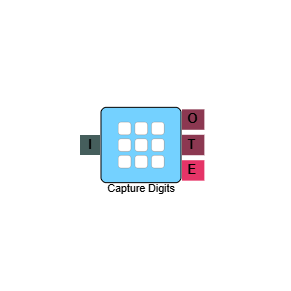
Capture Digits
The Capture Digits element prompts a caller to enter digits using their keypad and captures the value for use later in the IVR flow. It is commonly used to collect information such as account numbers, reference numbers, or phone numbers, which can then be passed to other elements such as Lookup Lead, Set Property, or Branch.
Connections
| Connection | Description |
|---|---|
| I – Input | The entry point for this element. Connect from the preceding element in your IVR flow. |
| O – Output | The path taken when the caller has successfully entered their digits. |
| T – Timeout | The path taken if the caller does not enter any digits within the configured timeout period. |
| E – Error | The path taken if the element encounters an error. |
Settings
| Field | Description |
|---|---|
| Name | Give the element a clear name so it is easy to identify within your IVR flow. This name is also used when referencing the captured value in other elements — for example, as element_name.digits. |
| Description | Optional. Add a note to explain the element's purpose — useful in more complex flows. |
| Agent Can See This | When enabled, agents can transfer a live caller directly to this element via the IVR Transfer option. |
| Supervisor Can See This | When enabled, the element is visible in the IVR Transfer list for users with a Supervisor role. It remains hidden from all other users. |
| Result Code | Assign a result code to this element. This result code is applied if the caller disconnects while in the element. |
| Clear Digits Buffer | When enabled, clears any digits previously pressed by the caller before this element is reached. |
| Min Digits (Len) | Set the minimum number of digits the caller must enter. |
| Max Digits (Len) | Set the maximum number of digits the caller can enter. |
| Retries | Set the number of times the caller can retry entering their digits. |
| Terminate Digit | Set the key a caller presses to confirm they have finished entering their digits — for example, the # key. |
| Timeout (s) | Set how long the element waits for a response before timing out. After the timeout, the element will retry up to the number of times set in Retries. |
| Digits Validation | Select a validation rule from the dropdown to check the digits entered by the caller meet the expected format. |
| Validation Fail Phrase | Select the audio file to play if the caller's entry fails validation. |
| Phrase | Select the audio file to play to the caller when they reach this element — typically a prompt instructing them to enter their details. |
Referencing captured digits
Once the caller has entered their digits, the value is stored and can be referenced in other elements using the syntax element_name.digits, where element_name is the name you gave this element. For example, if the element is named capture_number, the captured value is referenced as capture_number.digits.