
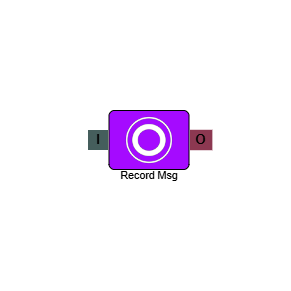
Record Message
The Record Message element records an audio message from the caller at a defined point in the IVR flow. It is most commonly used to capture voicemails, allowing callers to leave a message when no agents are available. The recording can then be retrieved by your admin team and the appropriate action taken.
Connections
| Connection | Description |
|---|---|
| I – Input | The entry point for this element. Connect from the preceding element in your IVR flow. |
| O – Output | The path taken once the caller has finished recording their message. |
Settings
| Field | Description |
|---|---|
| Name | Give the element a clear name so it is easy to identify within your IVR flow. |
| Description | Optional. Add a note to explain the element's purpose — useful in more complex flows. |
| Agent Can See This | When enabled, agents can transfer a live caller directly to this element via the IVR Transfer option. |
| Supervisor Can See This | When enabled, the element is visible in the IVR Transfer list for users with a Supervisor role. It remains hidden from all other users. |
| Result Code | Assign a result code to this element to track calls that reach this point in the flow. |
| Max Silence | Set the time the element will wait before moving on if the caller hasn't recorded anything. |
| Play Beep | Enabling this will play a beep to signify the start of the recording. |
| Terminate Digit | Set the digit for the caller to press to end the recording. |
| Timeout (s) | Set the time the element will wait if the caller hasn't pressed the terminate digit. |
| Overwrite Phrase | Enabling this gives you the ability to record a phrase over an existing message within an IVR. Select the Phrase that you wish to overwrite, a tooltip will appear advising on the best practice. |
Example 1
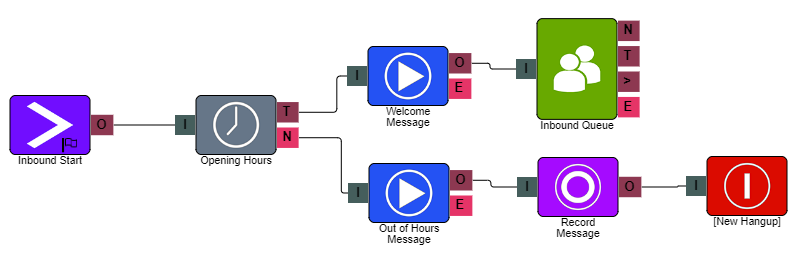
In the example above, the Record Message element is placed after the Out of Hours Message, allowing the caller to record a message before leaving the IVR.
Example 2
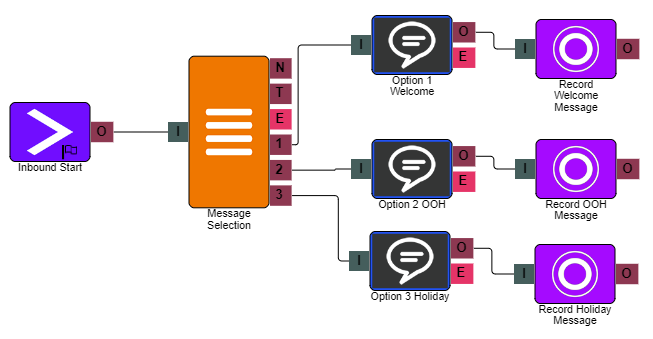
In the example above, an internal use IVR has been built to allow for a user to record over set phrases within the IVR.