

Prompt Studio
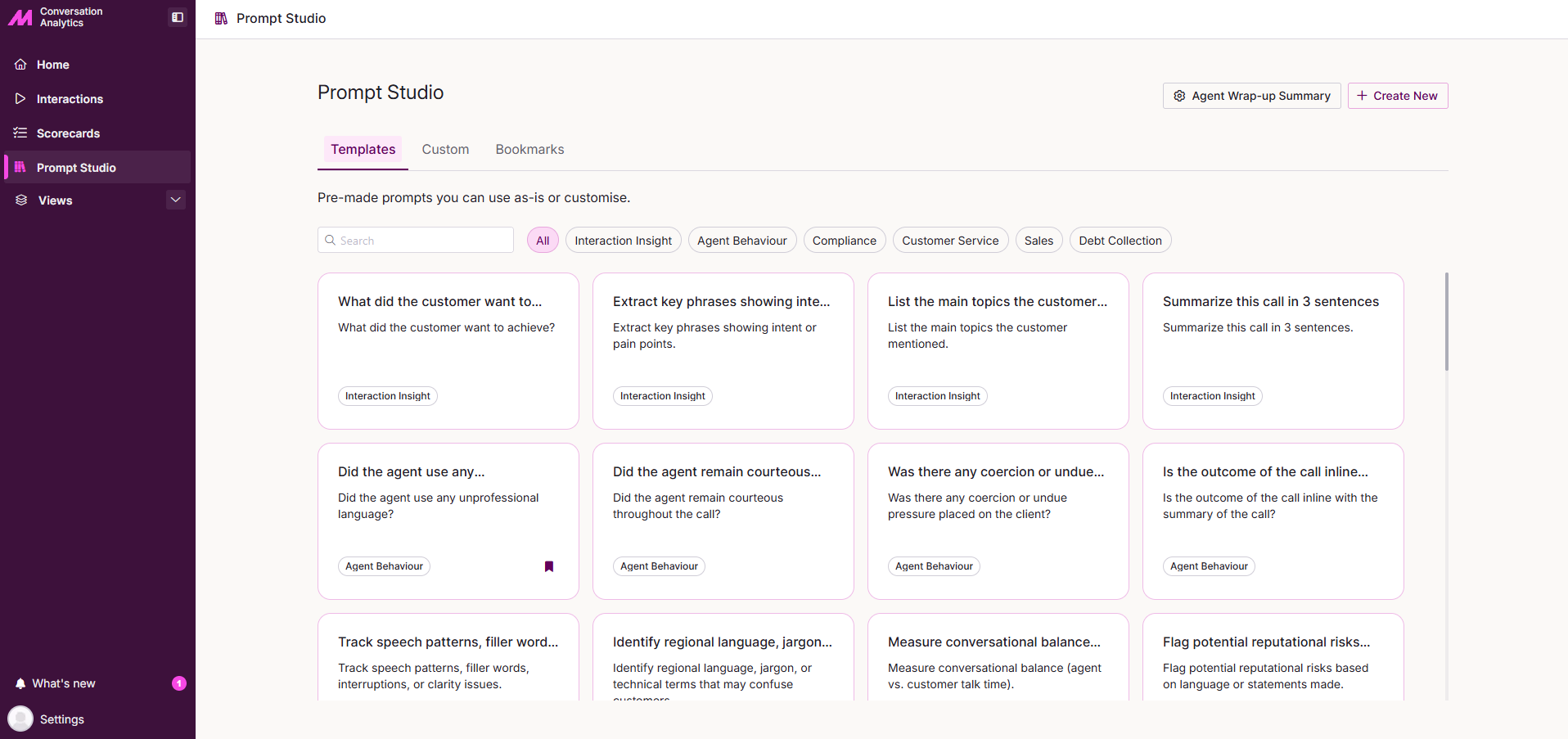
Prompt Studio is where you manage the AI prompts used across Conversation Analytics. Prompts created here are available within the AI Assist tab when viewing an individual interaction, allowing you to run consistent, reusable queries against transcribed calls without having to type them each time.
The studio gives you access to a library of pre-built templates, any prompts created within your organisation, and a personal collection of bookmarked prompts for quick access.
Tabs
Prompt Studio is organised into three tabs, selectable at the top of the page.
| Tab | Description |
|---|---|
| Templates | Pre-built prompts provided by MaxContact. Use them as-is or customise them to suit your needs. |
| Custom | Prompts created by you or others within your organisation. |
| Bookmarks | Prompts you have bookmarked for quick access. |
Each tab includes a search field at the top, allowing you to find a specific prompt by name.
On the Templates tab, a row of category filters sits alongside the search field. Select a filter to narrow the view to prompts within a particular area, such as Agent Behaviour, Compliance, or Customer Service.
Create New
Select Create New in the top-right corner of the page to build a custom prompt. Complete the following fields.
| Field | Description |
|---|---|
| Prompt Name | A short, descriptive name for the prompt. This is what will be displayed in Prompt Studio. |
| Prompt | The prompt text the AI will use. For example: Summarise this call in 3 bullet points. |
Once saved, your prompt will appear in the Custom tab and will be visible to others in your organisation.
Agent Wrap-up Summary
Select Agent Wrap-up Summary in the top-right corner of the page to configure the template used to generate AI-produced wrap-up notes after a call. The template is broken down into the following sections and fields.
Context
| Field | Description |
|---|---|
| Purpose* | Explain why these notes are generated and what they should achieve. |
| Audience* | Define who will read or rely on these notes. |
Output Style
| Field | Description |
|---|---|
| Tone and Style* | Define the tone, level of formality, and writing style the AI should use when producing the notes. |
Structure & Content
| Field | Description |
|---|---|
| Required Sections* | List the sections the AI must include in the output. |
| Prioritised Information* | Specify the details the AI should prioritise when summarising the call. |
| Excluded Information* | Define what should not be included in the output. |
| Additional Rules or Constraints | Add any compliance, accuracy, or behavioural rules the AI must follow when generating the notes. |
* Required field