SMS Channel Configuration Options
Training Team
Modified on: Wed, 1 Jul, 2026 at 11:19 AM

SMS Channel Configuration Options
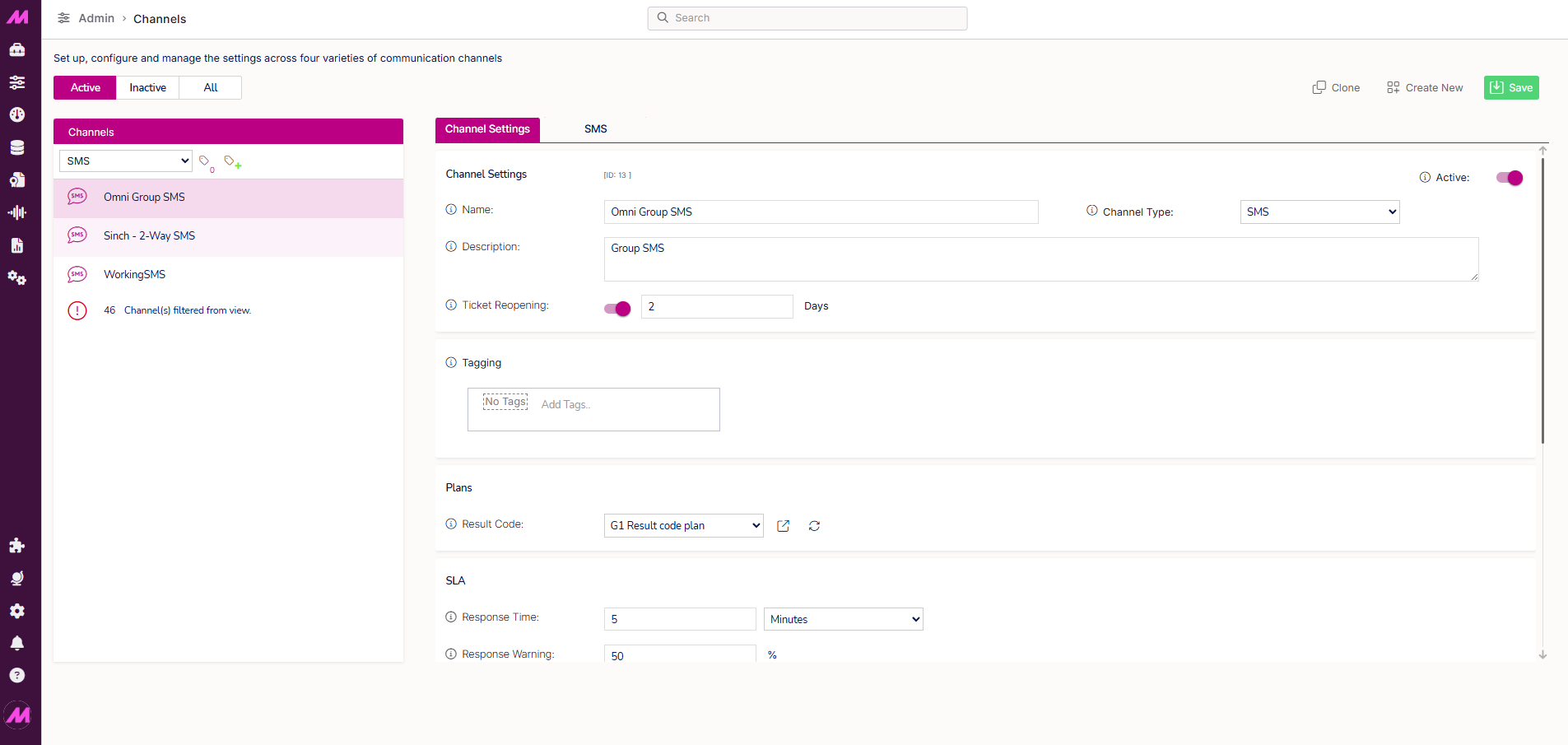
The SMS channel configuration is split across two tabs. This article describes each tab and the settings within it.
To access an SMS channel, go to Admin > Channels > Channels, filter by SMS, and select the channel you want to configure.
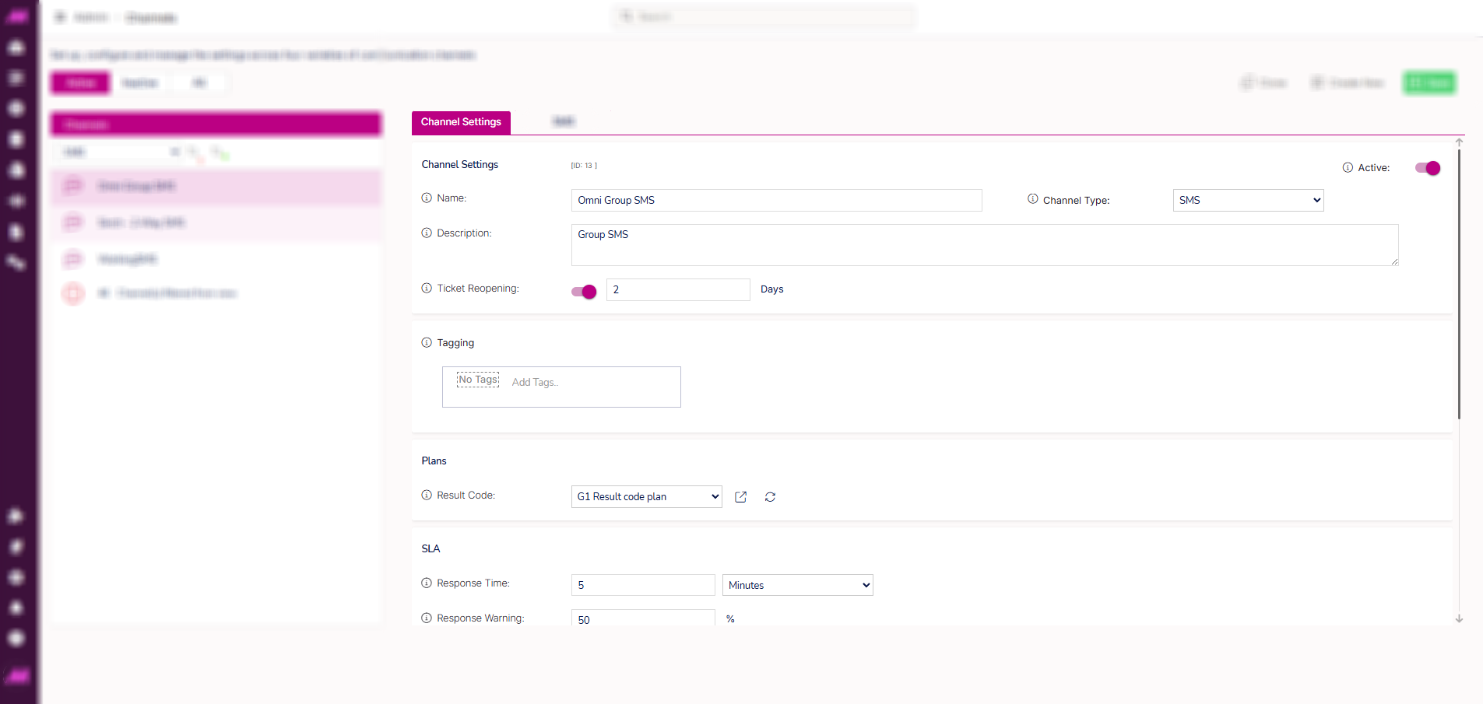
Channel Settings tab
Channel settings
| Setting | Description |
|---|
| Name | The channel name, visible to agents and used in reporting. Maximum 40 characters. |
| Channel type | The type of channel. Set to SMS. |
| Active | Toggle to make the channel active or inactive. |
| Description | An internal description for the channel. Not visible to customers. Maximum 1,000 characters. |
| Ticket reopening | When enabled, a customer who replies within the specified number of days will reopen their previous ticket rather than creating a new one. If the period has expired, a new ticket is created automatically. |
Tagging
Visible only when the tagging feature is enabled. Select the tag field to assign or remove tags on this channel. For more information, see Tagging — Where and how it affects the system.
Plans
| Setting | Description |
|---|
| Result code | The result code plan used for interactions on this channel. Only result codes within the selected plan are available to agents when dispositioning. Result codes must also have the SMS channel type assigned in their configuration to appear. See Result Codes for more detail. |
SLA
| Setting | Description |
|---|
| Response time | The maximum time an agent should take to respond to an interaction. A countdown timer is displayed on the interaction tab in Contact Hub. |
| Response warning | The percentage of the response time at which agents are warned they are approaching the SLA. The interaction tab changes from green to amber at this point. Set to 100% to disable the warning. |
| Manual park | When enabled, agents on the queue associated with this channel can manually park an interaction to pause the SLA timer while they carry out work away from the screen. See Park Interactions for more detail. |
| Automatic park | When enabled, interactions are automatically parked when an agent on the queue receives an inbound call. Without this, the SLA timer continues to run during voice calls. Both manual and automatic park can be enabled simultaneously. |
User settings
| Setting | Description |
|---|
| Capacity | The maximum number of concurrent SMS interactions an agent can handle from this channel at any one time. Capacity is cumulative across all channels an agent is assigned to unless a specific user capacity plan is set. See Agent Capacity Plans for more detail. |
| Force ready | When disabled (default), agents go Not Ready when they receive an interaction and return to ready manually. When enabled, agents remain ready after receiving an interaction until their capacity is filled, and automatically return to ready once capacity drops. Agents can only leave the campaign or take a break after their current interactions are completed. |
Scripting
| Setting | Description |
|---|
| Enable | Toggle to enable or disable the use of a script on this channel. |
| Provider | Select Max to use a script built within MaxContact, or Other to use an external CRM or third-party system. |
| Max Script | The MaxContact script to display to agents for interactions on this channel. Only available when Provider is set to Max. |
| Script URL | The URL for the script. Populated automatically for Max scripts. Enter the URL manually when Provider is set to Other. |
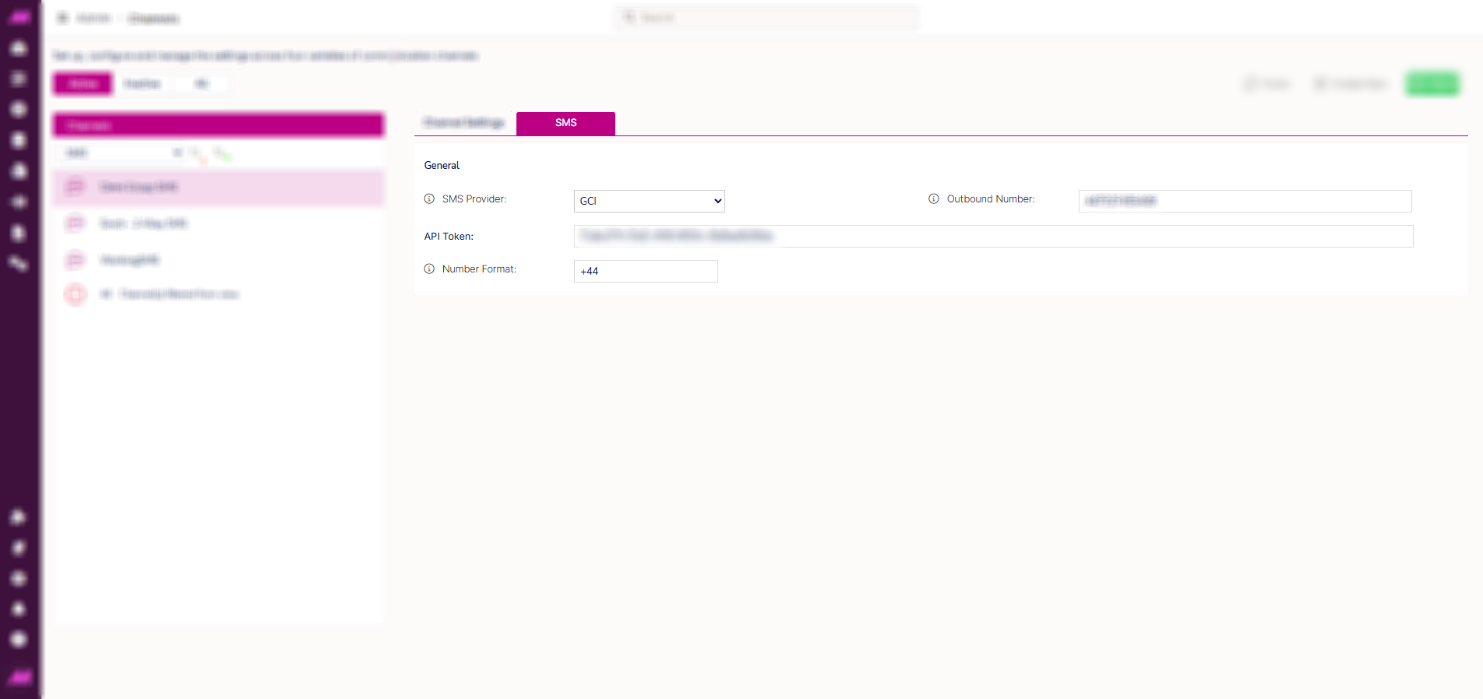
SMS tab
The SMS tab displays the provider configuration for this channel. These settings are managed by MaxContact and cannot be edited from within the portal. Contact the support team if you need changes made or have questions about the settings displayed.
| Setting | Description |
|---|
| SMS provider | The name of the SMS provider configured for this channel. |
| Number format | The number format prefix for SMS messages, making the channel configurable for different countries. |
| Outbound number | The outgoing number messages are sent from on this channel. |
Related articles
