What's new for Contact Hub for 7.4.0 Release?
- Call Stability. We have fixed a rare issue that could cause calls to drop and the telephony system to crash when an agent was ringing. Now, the system handles call removals more safely, preventing interruptions and improving overall stability for a smoother experience.
- Queue Timeout. Webchat conversations will now automatically close if they wait in the queue longer than the set time, and customers will receive a clear message when this happens. If a webchat channel is set to zero wait time, chats will keep queuing without closing.
What's new for Manager Portal for 7.4.0 Release?
Keyword Filtering | |
| Keyword Filtering (previously Content Filtering) now applies consistently to WhatsApp and Facebook Messenger, matching the behaviour already in place for Chat, Email, and SMS. Messages containing blocked words and phrases will be hidden from agents across every text channel, giving you a single, reliable approach to managing sensitive or unwanted content. We've also moved the Keyword Filtering page from Manager Portal into Management Hub and improved how you manage your filter list. You can now add words and phrases individually rather than uploading them in bulk, and existing entries can be edited directly without needing to remove and re-add them. New systems, and any system with an empty deny list, will now be seeded with a standard set of 96 default denied terms. This provides baseline protection from day one. Existing keyword configurations are left untouched. | 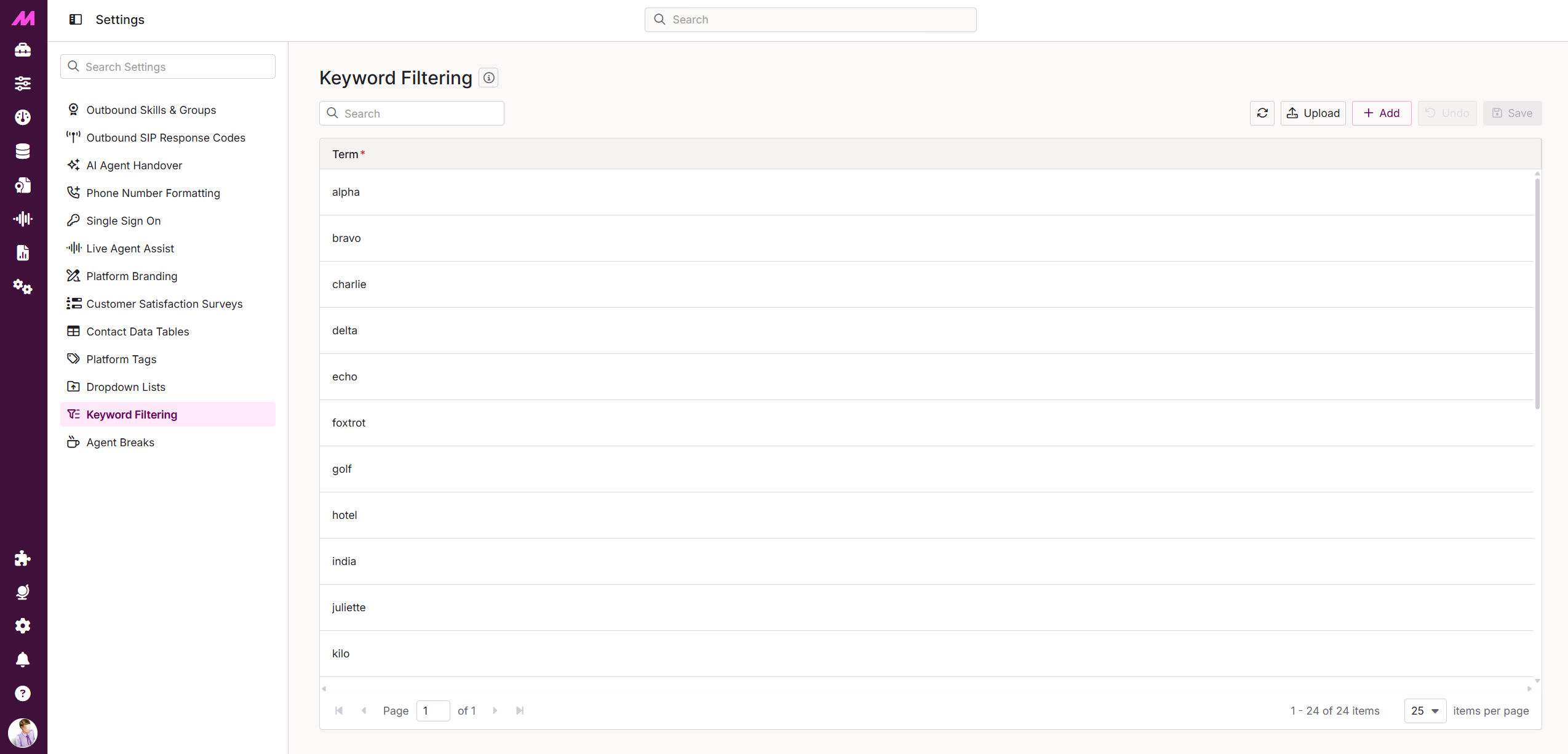 |
- Callback Days. We've fixed an issue with the maximum callback days settings so that the toggle now works correctly. Existing lists will keep their current settings, while new lists start with the toggle off, allowing staff to choose maximum callback days freely unless you decide otherwise.
- Tag Filter. We've improved the Campaign Manager so the tag filter dropdown now always appears clearly above the grid, making it easier to use.
- Audit Logging. We've improved the List Data Manager so that all your actions, like moving or updating items, are now properly recorded with the correct user name. This means you can trust that your activity history is accurate and complete.
- Management Hub Search. We've updated the search feature in Management Hub to look consistent with Manager Portal and improved how it takes you to the right page. Now, when you search, it opens the correct page in Manager Portal and brings you back to Management Hub if the page has already moved.
Database Updates
- Callback Days Setting. We've added a new setting called 'Use Max Callback Days' to both the lists and their audit records. This setting is now enabled by default for all existing lists to keep your current client experience consistent. Essentially, this means the system will respect the maximum callback days you've already set, ensuring your workflows continue smoothly without any interruptions.
- Keyword Filtering Permission. The permission labelled 'Settings - Keyword Filtering' has been updated to clearly define its purpose and capabilities. This permission now explicitly grants users access to the Keyword Filtering page within Settings, allowing them to view, add, edit, delete, and upload Terms. Additionally, the permission's category has been set to zero, ensuring it is properly classified. These changes help clarify user access rights and improve management of keyword filtering features.
- Break Admin Permission. We've updated the permission name and description in the system settings to clearly reflect the ability to manage agent break reasons. This change makes it easier for users to understand that this permission lets them view, create, edit, activate, and deactivate the different break types available to agents.
Other Updates & Enhancements
- Email Collection. We've improved email collection from Microsoft 365 to process backlogged inboxes more efficiently while keeping message limits in check. The system now handles large inboxes more reliably and maintains better performance.
- Call History IDs. We've changed when call history record IDs are assigned. Previously, IDs were assigned at the point the record was inserted into the database, which happened when the call ended. Going forward, IDs are assigned when the call first hits our system, so they now reflect the order calls started rather than the order they ended. For most users, this change has no visible impact. Recordings, reports, and history views in MaxContact will continue to work exactly as before. If you query our replicated database, you should be aware that history IDs no longer correlate with the order calls ended. A call that started earlier but ran longer will have a lower ID than a shorter call that started after it but finished first. If your queries rely on history ID order to find recently completed calls, please review them and adjust where needed. To support this, we've added a new table called history_sequence_tracker. This table records the order in which history records are inserted into the database, so you can use it to retrieve records in the same order as before. Please get in touch if you need support updating your queries.
 | As well as the highlighted areas above, infrastructure improvements to enhance the overall product architecture have been included, ensuring better performance, reliability, and scalability, as well as a number of performance enhancements to boost stability and resilience. |
 | New additions are currently in the beta phase of production. You may see this icon for areas containing these features and changes within the product. |