
Force Focus Chrome Extension
Force Focus is a Chrome extension that controls the browser window, maximising it and bringing it to the front of the screen in response to an event triggered from a dashboard or wallboard widget.
For example, a user in an inbound campaign is in a Not Ready state and working in another browser window. When a call enters the queue, they need to be alerted so they can go ready and take the call. The extension automatically switches their browser to the web agent, alerting them to the call.
Dynamic Nailup
The extension works out of the box with Dynamic Nailup campaigns. When a call is offered to a user who's in a different browser window, the extension automatically switches their view to the correct window.
Setting up the Dashboard & Wallboard Queue tile
- Use the Stat Alert section of the Queue's tile or widget to set a threshold value for the event.
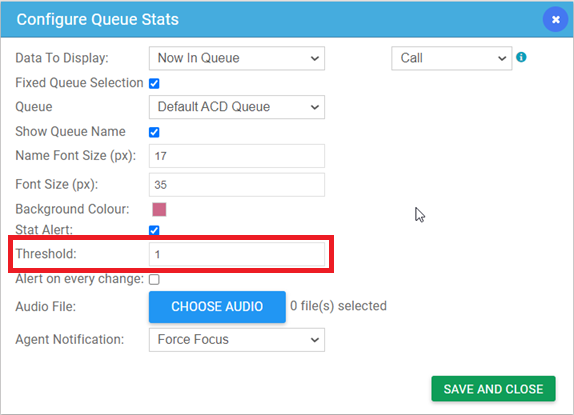
- Add an Agent Notification of type Force Focus to the queue's widget to trigger the event.
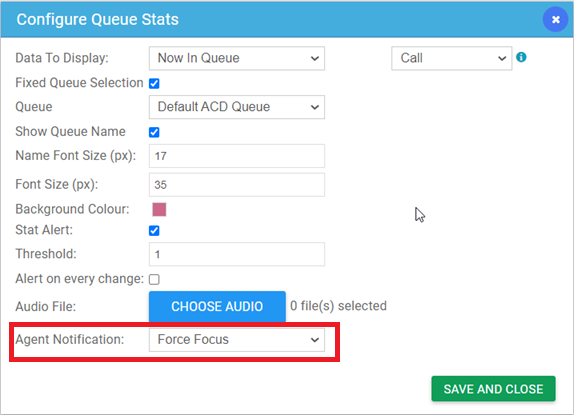
- Once the selected data value exceeds the threshold, the Force Focus event triggers.
Installing the extension
The extension is available on the Chrome Web Store. It must be installed on a user's local Chrome browser for the functionality to work.
Issues to watch for
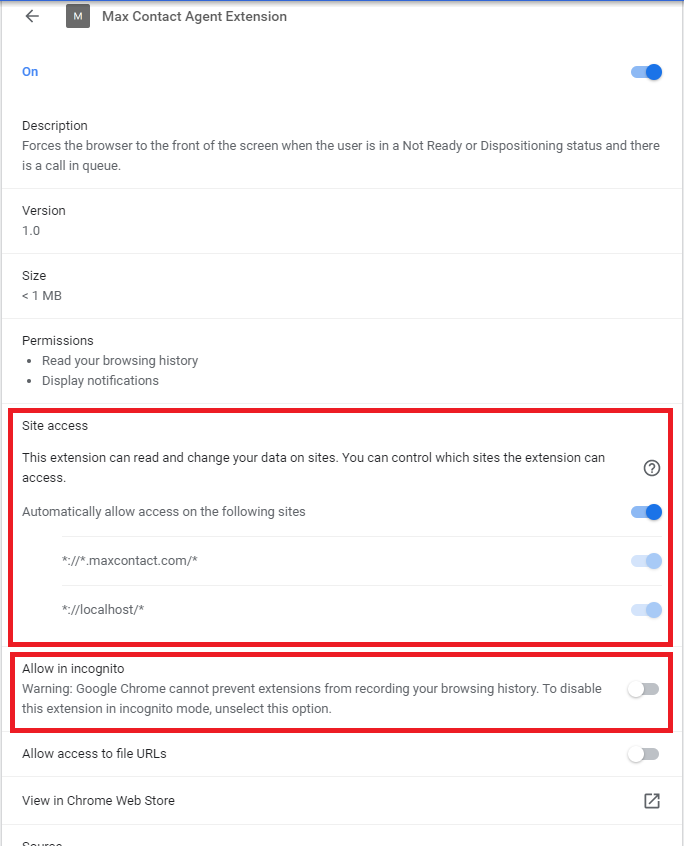
By default, the extension doesn't function in incognito mode, and only runs on the following URLs:
- *://*.maxcontact.com/*
- *://localhost/*
 |  |
Configuring the extension
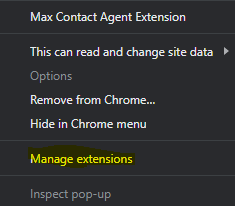
Right-click the extension icon in your browser and select Manage Extensions to:
- Disable the extension on specific URLs.
- Enable the extension in incognito mode.
- Disable or remove the extension entirely.
Getting help
Contact the MaxContact Support team if you run into any problems with the extension.