What's new for Contact Hub for 7.6.0 Release?
- Warm Transfers. We've fixed an issue where rejecting a warm transfer to IVR, while the transfer remained active, removed the receiving agent from the call and campaign and left them stuck. The receiving agent is now kept attached to the call and campaign when a warm transfer to IVR is rejected, preventing that stuck state.
- Queue Availability. After ending a manual call, agents are now automatically ready to take new interactions unless they have chosen otherwise. Any specific queue settings made before the call are preserved, and availability for voice interactions is accurately reflected.
What's new for Manager Portal for 7.6.0 Release?
Management Hub Pages | |
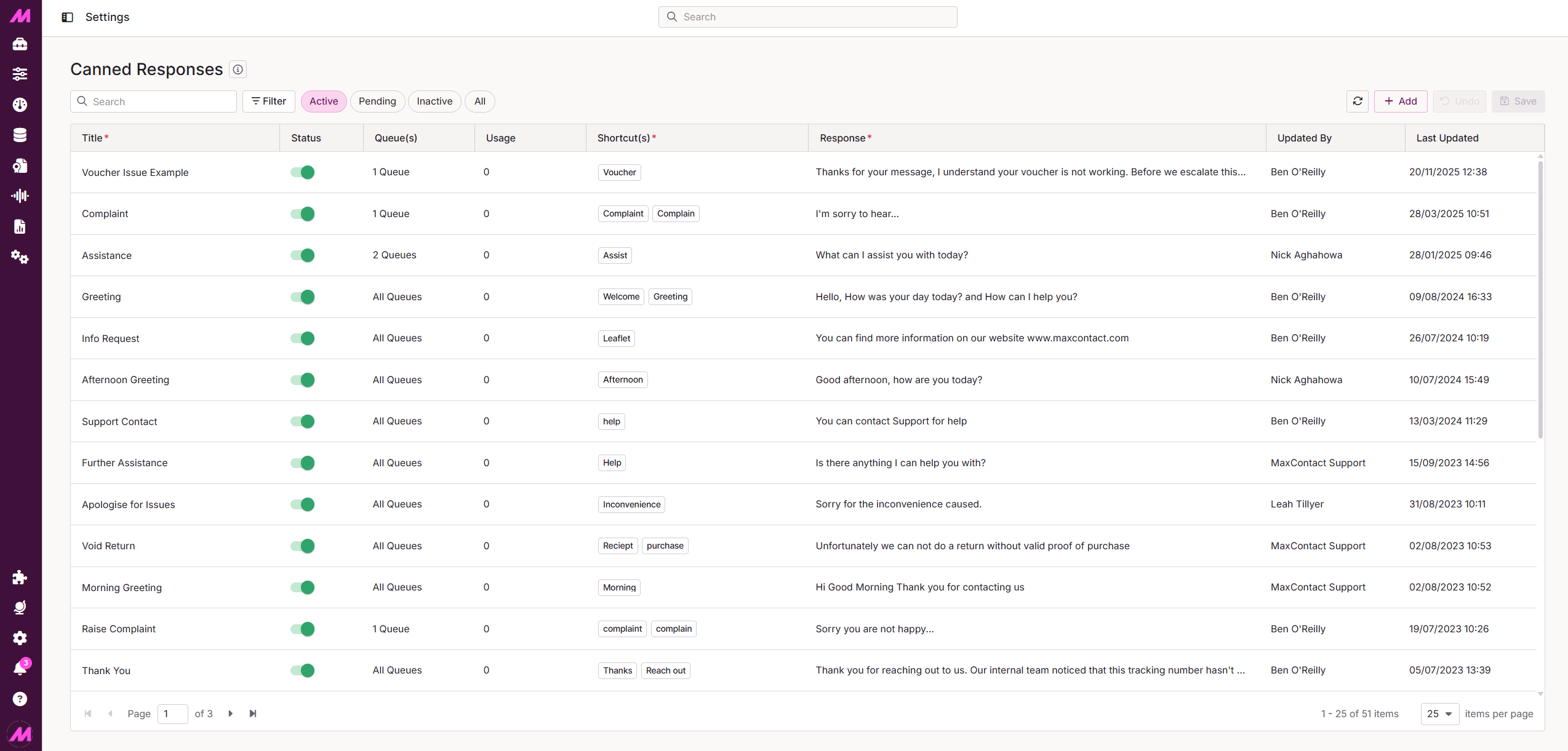 | We've updated the Do Not Call, Canned Responses, and Inbound Deny List pages to improve your experience. These pages now load more smoothly and consistently, helping you manage your contacts and responses with greater ease. |
- SSO User Visibility. New users who sign in through Single Sign-On are now instantly visible across all dashboards and coaching tools, so you can manage your team more smoothly without any delays.
- Report Scheduler. We've improved the Report Scheduler so you can now easily select teams and users when setting up Agent Status Change and Status Change Detail reports. The team selection now allows multiple choices, and the user list updates to show only relevant agents based on your team selection. We've also made sure that schedules can't be saved without these selections, preventing errors and ensuring your saved schedules open with all your choices intact.
- Result Code Admin. Manager Portal now ensures that any changes to result codes and lists are only saved when the system confirms they have been successfully updated. If the connection to the server is lost, the save will be blocked and you'll see a clear error message, so you won't be left wondering if your changes went through.
- Report Viewer. We've fixed an issue where the multi-select list box was too small and the results grid showed an extra scrollbar on Reports. The list box now displays at the correct height and the grid shows all 10 rows without scrolling, making it easier to view your report results.
- Custom Data Fetch. We've fixed an issue where the filtered lead count on the Custom Data Fetch Plans page was incorrectly shown as the total count after refreshing the lists. Both the filtered and total lead counts now display accurately after a refresh, ensuring you see the correct information without any extra steps.
- Call Handling. We've improved call handling to prevent unexpected disconnections during playback. When a call starts playing a message and quickly connects, the system now ensures a smooth connection without dropping the call. This update happens automatically, so you don't need to do anything.
 | As well as the highlighted areas above, infrastructure improvements to enhance the overall product architecture have been included, ensuring better performance, reliability, and scalability, as well as a number of performance enhancements to boost stability and resilience. |
 | New additions are currently in the beta phase of production. You may see this icon for areas containing these features and changes within the product. |