
DNC
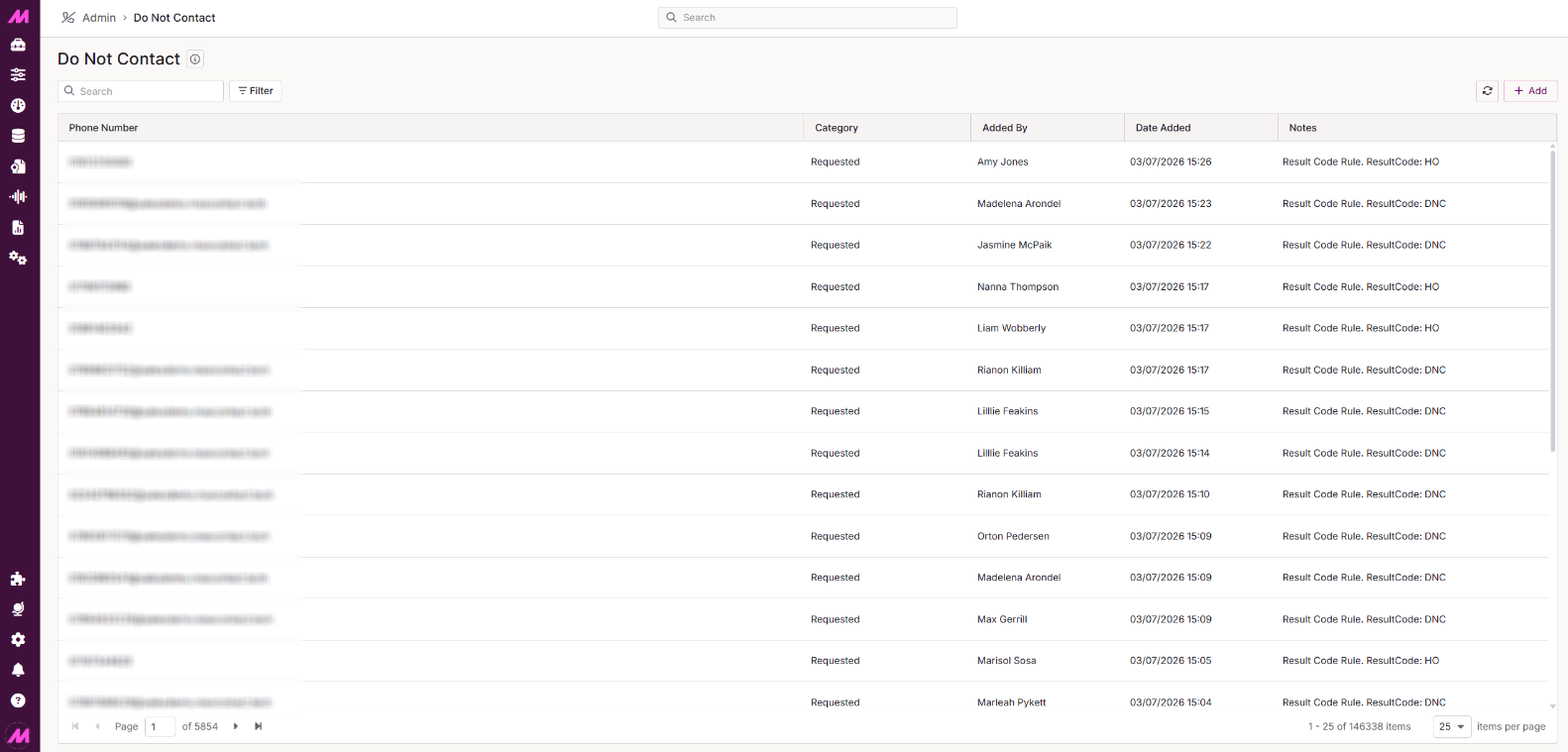
The DNC (Do Not Contact) page lets you view and manage your suppression list — the numbers that are blocked from being dialled.
To access it, go to Admin > General > DNC.
DNC list
For each entry on the list you can see the following.
| Column | Description |
|---|---|
| Telephone number | The number added to the DNC list. |
| Category | The DNC category the number was added to. |
| Added by | The user who added the number to the list. |
| Date added | The date the number was added. |
| Notes | Any notes recorded at the time the number was added. |
Searching the DNC list
Use the search bar to filter by phone number. Select Filter to apply additional filters by DNC Category, Added By, or Date Added.
Removing a number from the DNC list
Once you've located the number, select the Delete button next to it. A confirmation dialog appears before the number is removed. After deletion, the number is removed from the DNC list, but any existing leads already finalled under the DNC state remain in that state.
Bulk delete
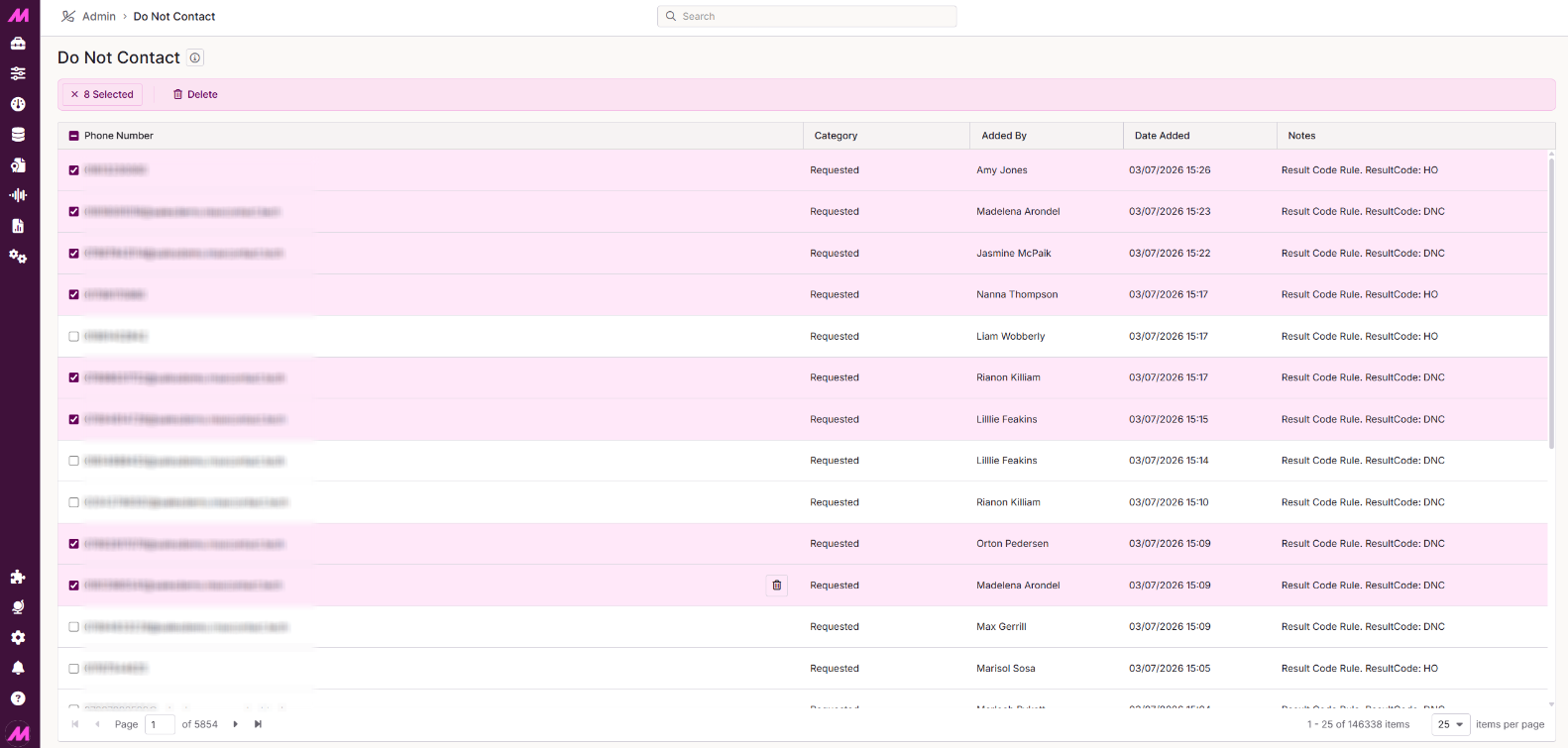
To select multiple entries, hover over a row and select the tick box to the left of the telephone number. Repeat for each entry you want to include. Once one or more entries are selected, a Delete button appears at the top of the table, allowing you to delete all selected entries in a single action.
To select all entries currently visible, hover next to the Telephone number column header and select the tick box that appears. This will select every entry in the current view.
Adding numbers to the DNC list
Numbers can be added to the DNC list in several ways.
- By an agent during a call — agents can apply a DNC result code when dispositioning a call.
- By a supervisor or admin — numbers can be added manually via the Import DNC page or Lead Search & Edit.
- Via bulk import — numbers can be imported in bulk using the Import DNC function.