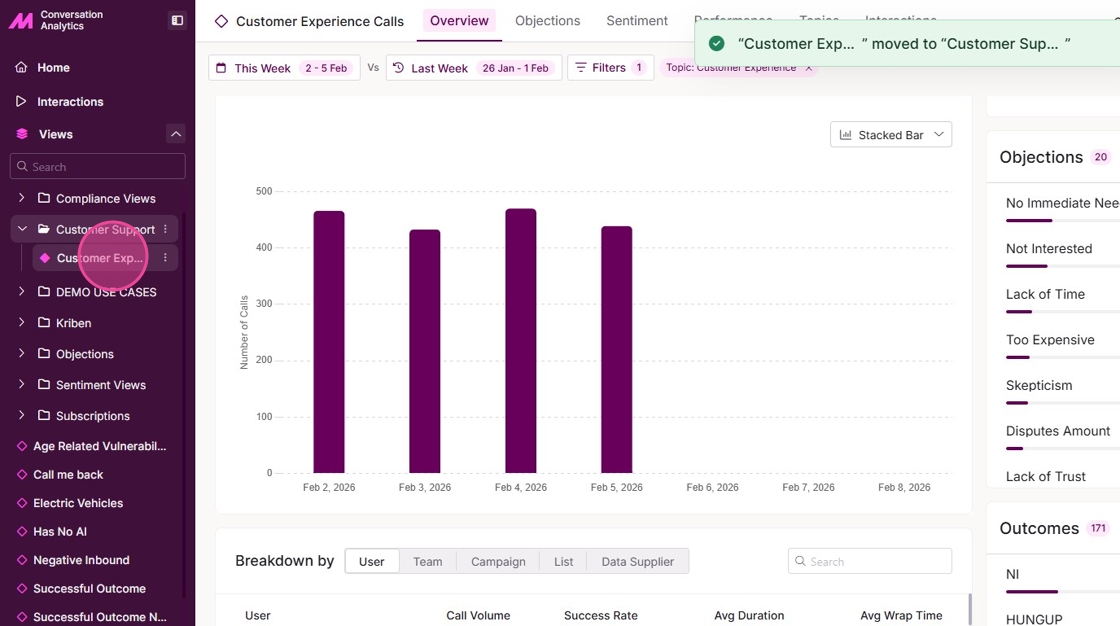
Creating a custom folder for adding views in Conversation Analytics
This guide shows you how to create and manage folders within Conversation Analytics. Simplifying the process of categorising views, ensuring easy access and application of filters. By following the steps outlined, users can enhance their efficiency and streamline their operations.
1. Navigate to the Conversation Analytics Dashboard.
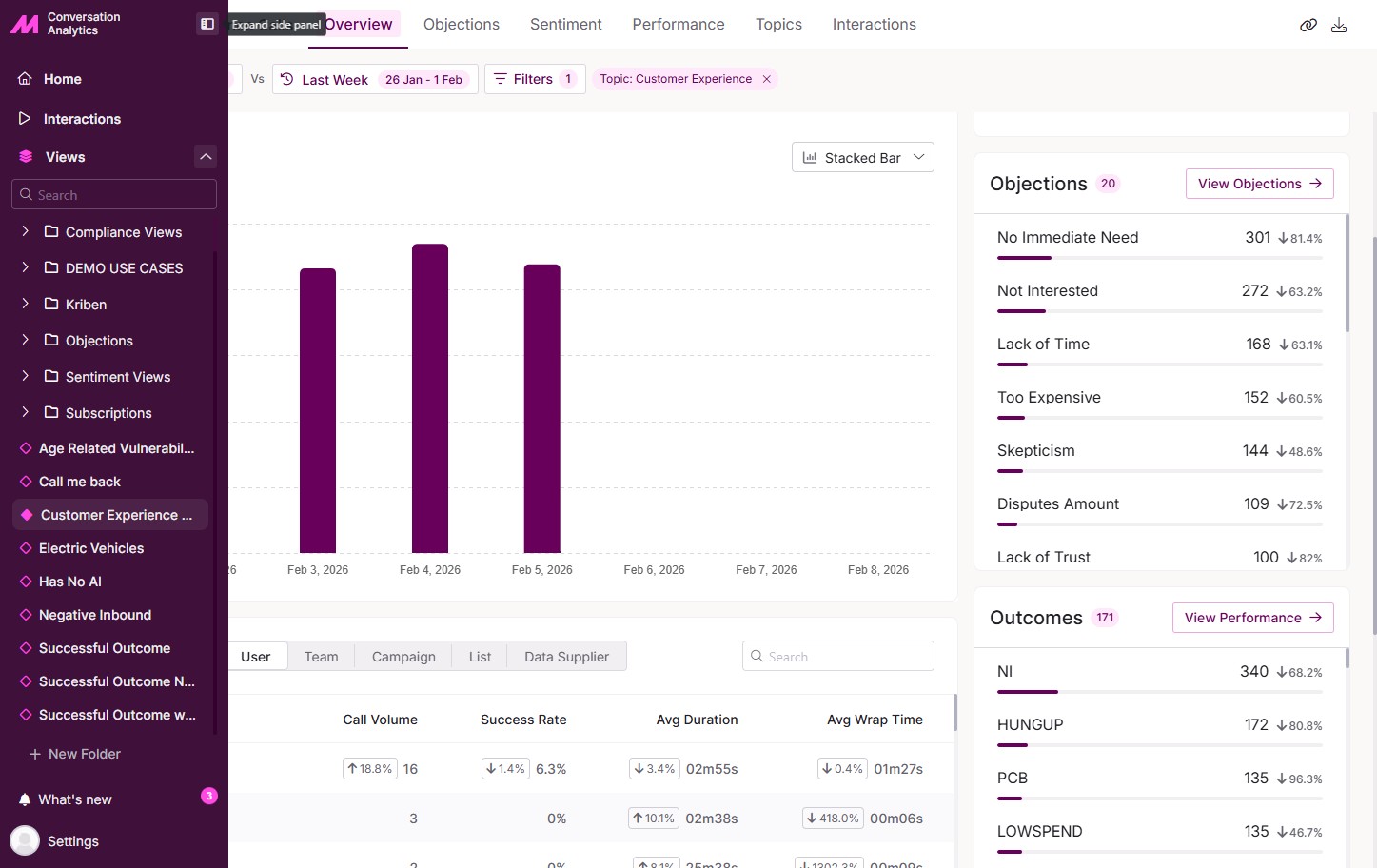
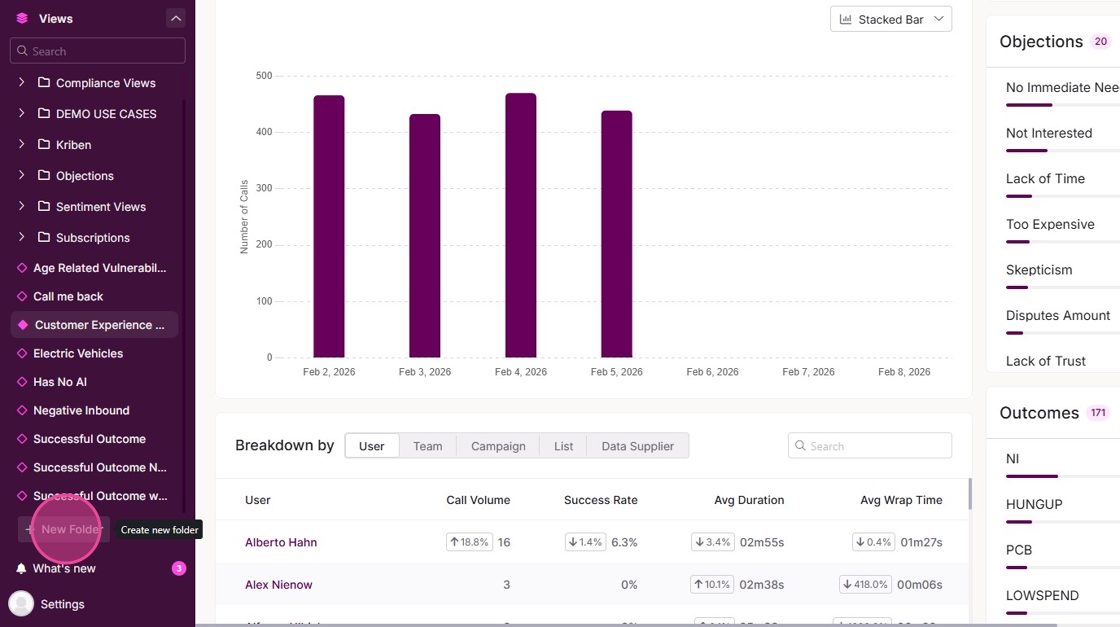
2. Select the [+ New Folder] button on the left-hand panel.
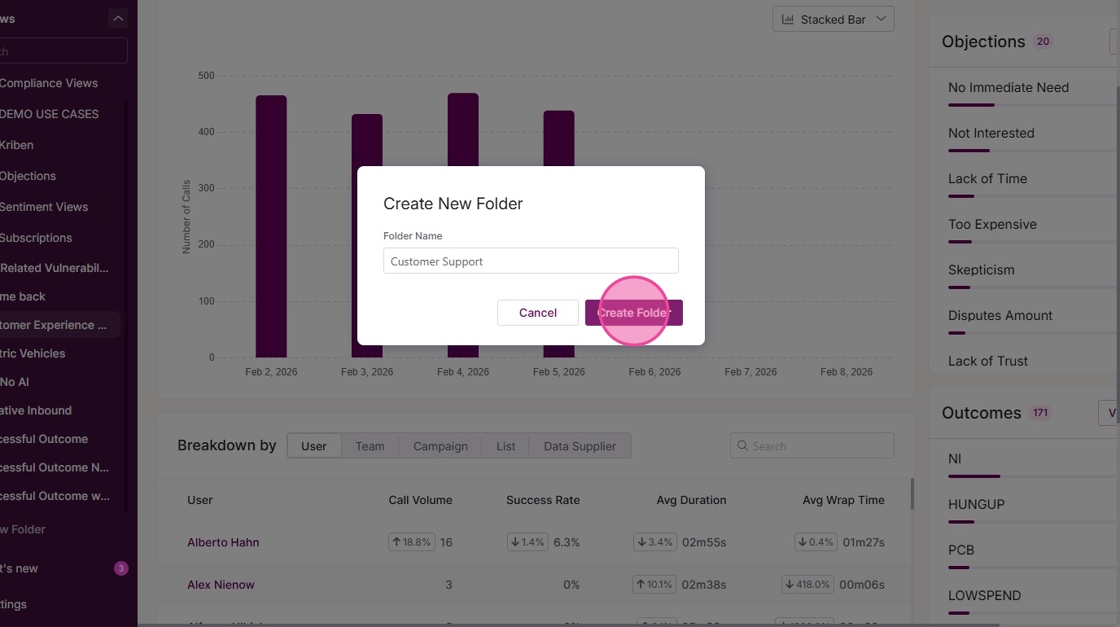
3. Enter a name for the folder.
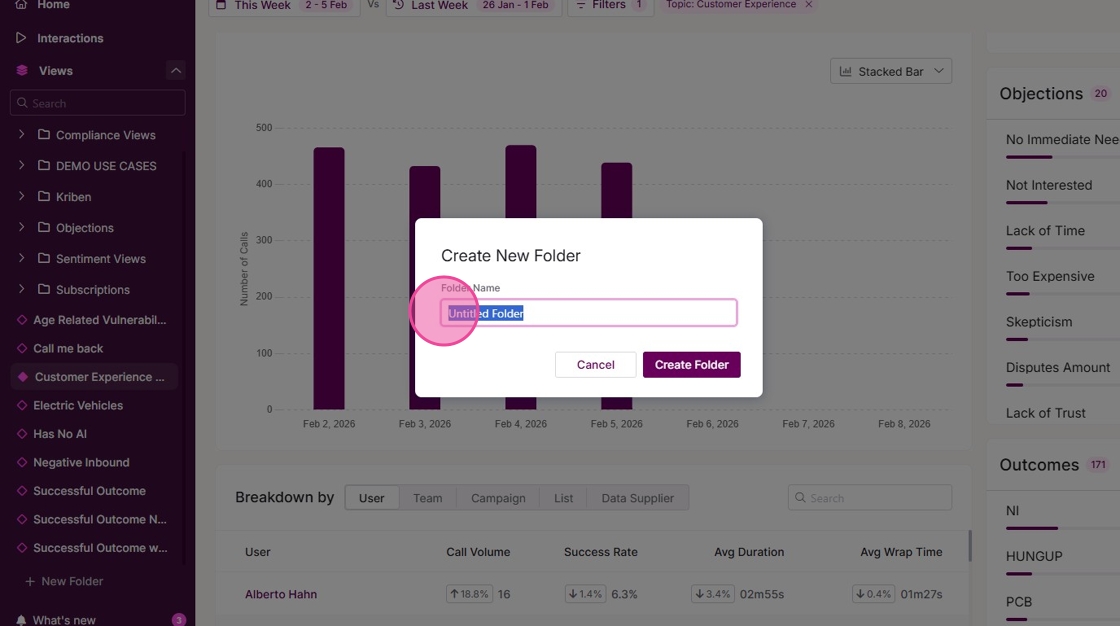
4. Click "Create Folder".
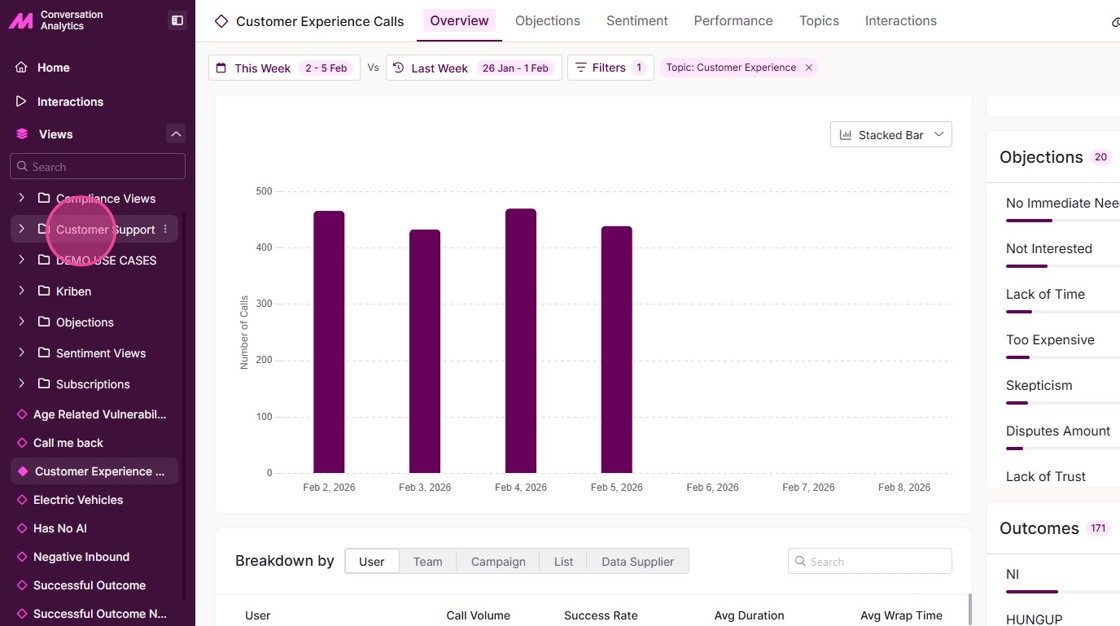
5. The folder is now created, and views can be added to it.
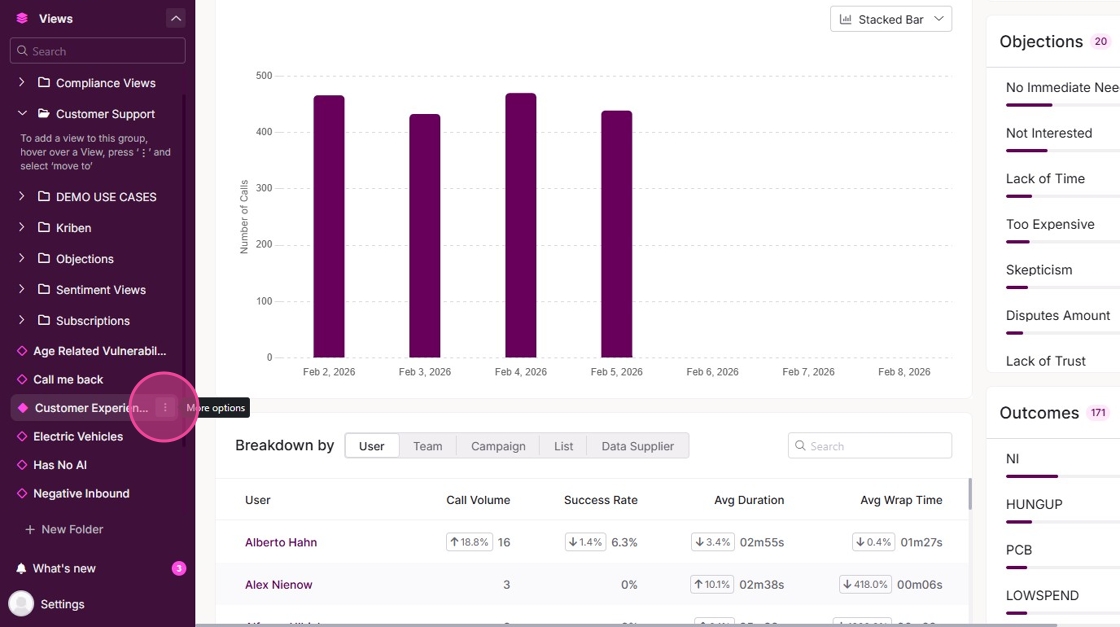
6. To add a view, select the 'More options' of the view.
7. Click "Add to Folder".
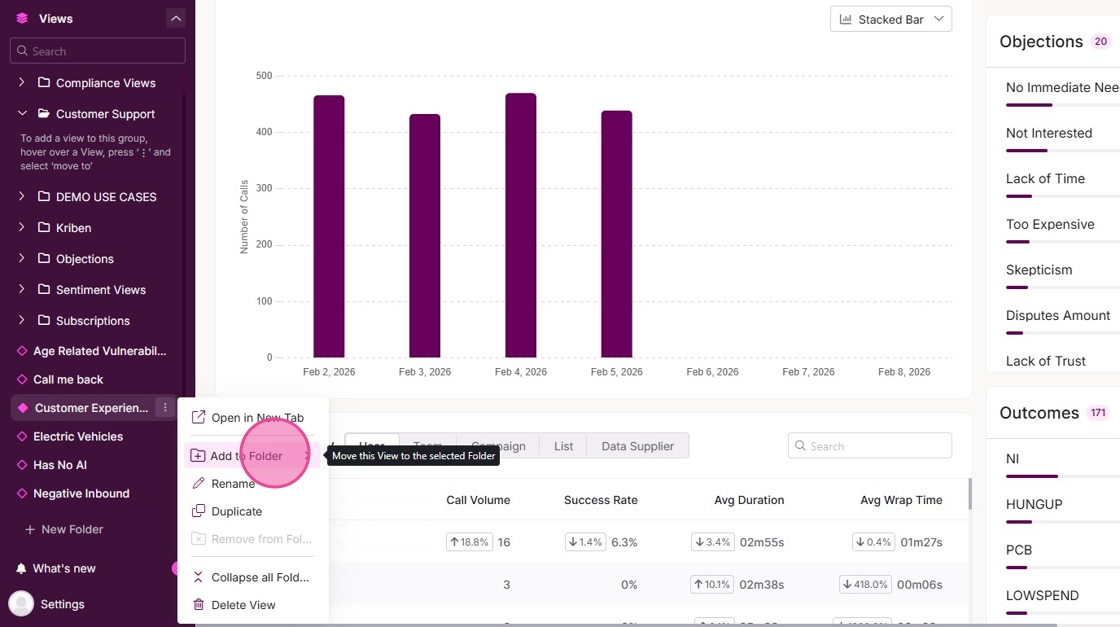
8. Select the Folder to add the view into. Views can only be added into one folder.
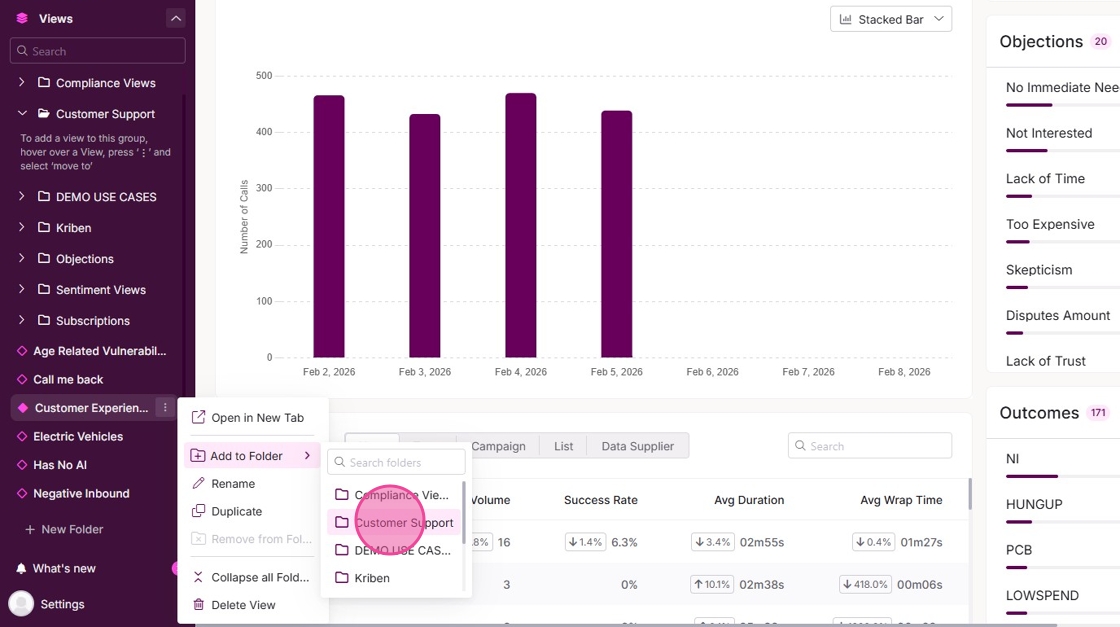
9. The view will be saved under the selected folder. To apply the filters, open the folder and select the view.