What's new for Contact Hub for 6.14.0 Release?
AI Agent Handover | |
| When an AI Agent sends a call to someone logged into Contact Hub, your agents now get a clear view of what happened earlier in the conversation. They can see the transcript, summary, escalation point and call duration, which means callers don’t have to repeat themselves, and agents can step in with confidence. You can switch this feature on or off, and all previous AI interactions are now saved in My History and Contact History so your team can quickly pick up the full story whenever they need it. | 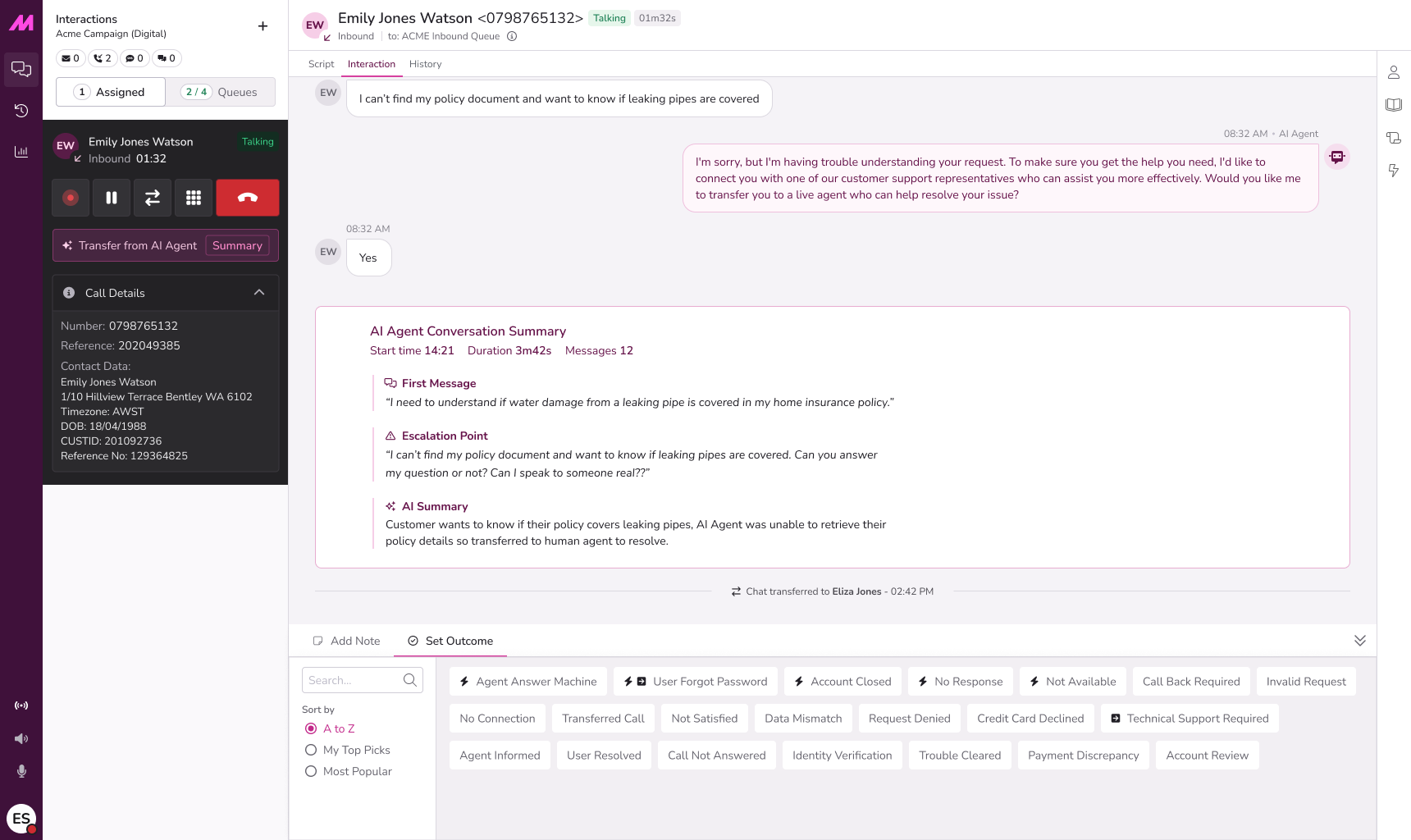 |
- Queues. We’ve fixed an issue that caused call queues to show as blocked after a page refresh, especially for agents juggling several interactions at once. The system now clears out old markers properly, so agents keep the correct queue status and can work without unnecessary interruptions or confusion.
- Dynamic Nailup. When using Dynamic Nailup, agents will now stay in a Ready state if a caller hangs up before they can answer. This means they won’t be moved to Not Ready by mistake, so they can take new calls straightaway. It keeps everything running smoothly and helps your campaigns perform at their best.
What's new for Manager Portal for 6.14.0 Release?
Updated Report Viewer | |
| We’ve refreshed the reporting tool in the Manager Portal to keep it up to date and working as it should. As part of this change, the Portal now runs on a newer version. You'll notice that the report viewer looks a little different, although your reports themselves haven't changed. We'll review the viewer's appearance again in a future update to this part of Manager Portal. | 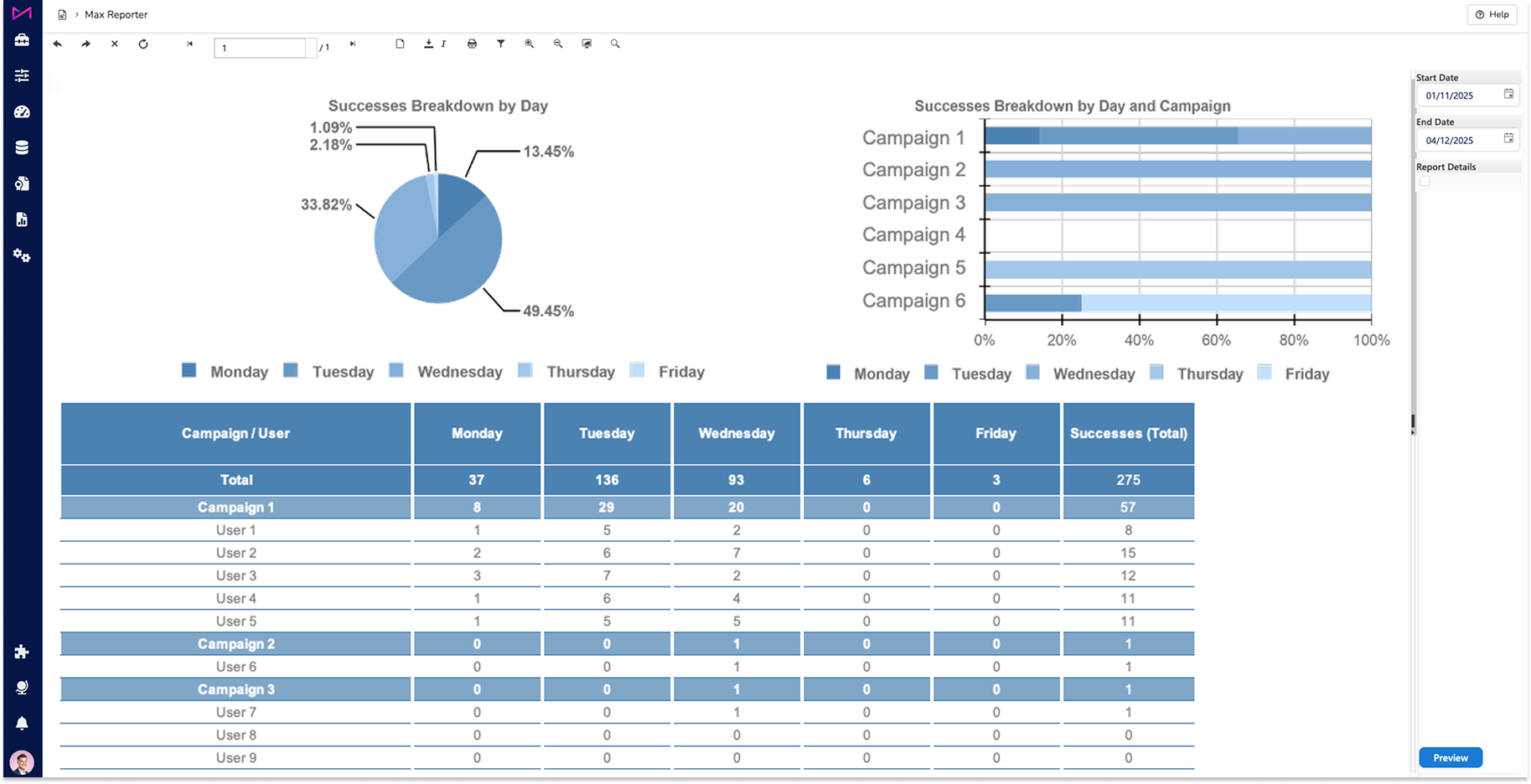 |
- Contact Validation. We’ve improved how the Manager Portal and Lead Services API handle phone number information to provide a more secure and reliable experience. The system now checks this data more carefully, helping prevent unexpected issues and ensuring only suitable details are accepted.
- Queue Management. We've fixed an issue where saving a queue mistakenly moved everyone to Not Ready, even when nothing had changed. Now, saving a queue keeps each person's status exactly as it should be, so the screen always reflects who's available.
Other Updates & Enhancements
- Security. We’ve strengthened overall account security by updating how user session details are protected. These sessions are now kept safer from unwanted access, supporting a more secure and reliable experience across the platform.
- Security. We’ve strengthened the overall security of our platform by adding a set of protective measures that help guard against common online threats. These updates bring our systems in line with modern security standards and apply across several of our services, so you may notice small behavioural changes, although we don’t expect any disruption.
 | As well as the highlighted areas above, infrastructure improvements to enhance the overall product architecture have been included, ensuring better performance, reliability, and scalability, as well as a number of performance enhancements to boost stability and resilience. |
 | New additions are currently in the beta phase of production. You may see this icon for areas containing these features and changes within the product. |