
Advanced Scripting — Tools & Settings
This article covers four tools available in the Script Editor: Advanced Validation, Script & Page Settings, Tab Ordering, and Field Finder.
Advanced Validation
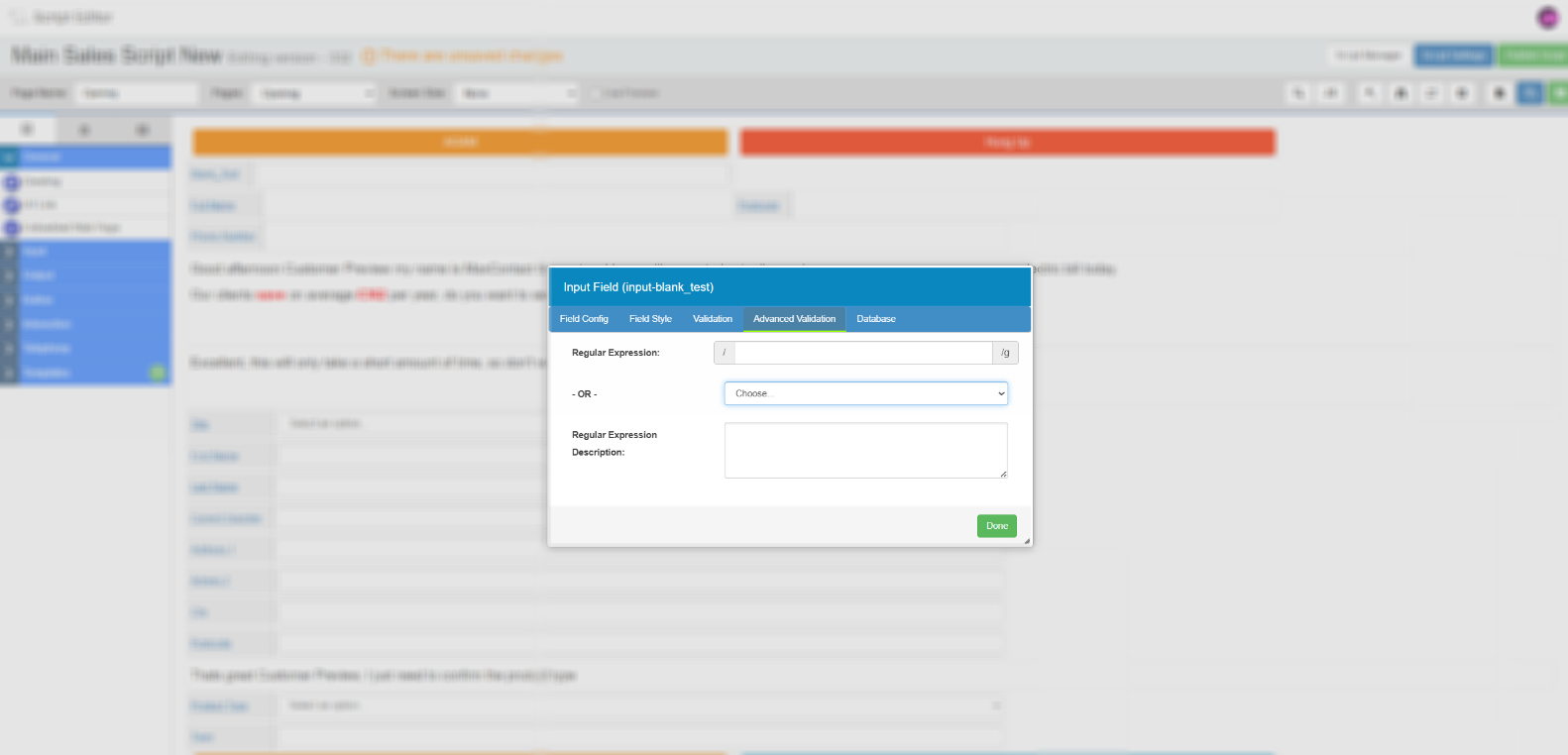
Some input fields support advanced validation, which prevents agents from navigating away from the page unless the value entered matches a specified format. This is configured in the Advanced Validation tab when editing a field.
Select a preset from the dropdown or enter a custom regex expression. The preset options are described below.
| Option | Description |
|---|---|
| UK Phone Number | Numeric, 11 digits. |
| UK Postcode | Validated using regex rules for UK postcode format. |
| SA Postcode | Validated using regex rules for South African postcode format. |
| Credit Card | Validated using regex rules for credit card number format. |
| Requires an @ symbol with at least one full stop. | |
| Current Pattern | Retains the existing validation pattern rather than replacing it. |
| Custom regex | Enter your own regex expression to validate against any custom format. Regex expressions for common formats are widely available online. |
Script & Page Settings
Script Settings and Page Settings are two separate configuration panels accessible from the toolbar at the top of the Script Editor.
Script Settings
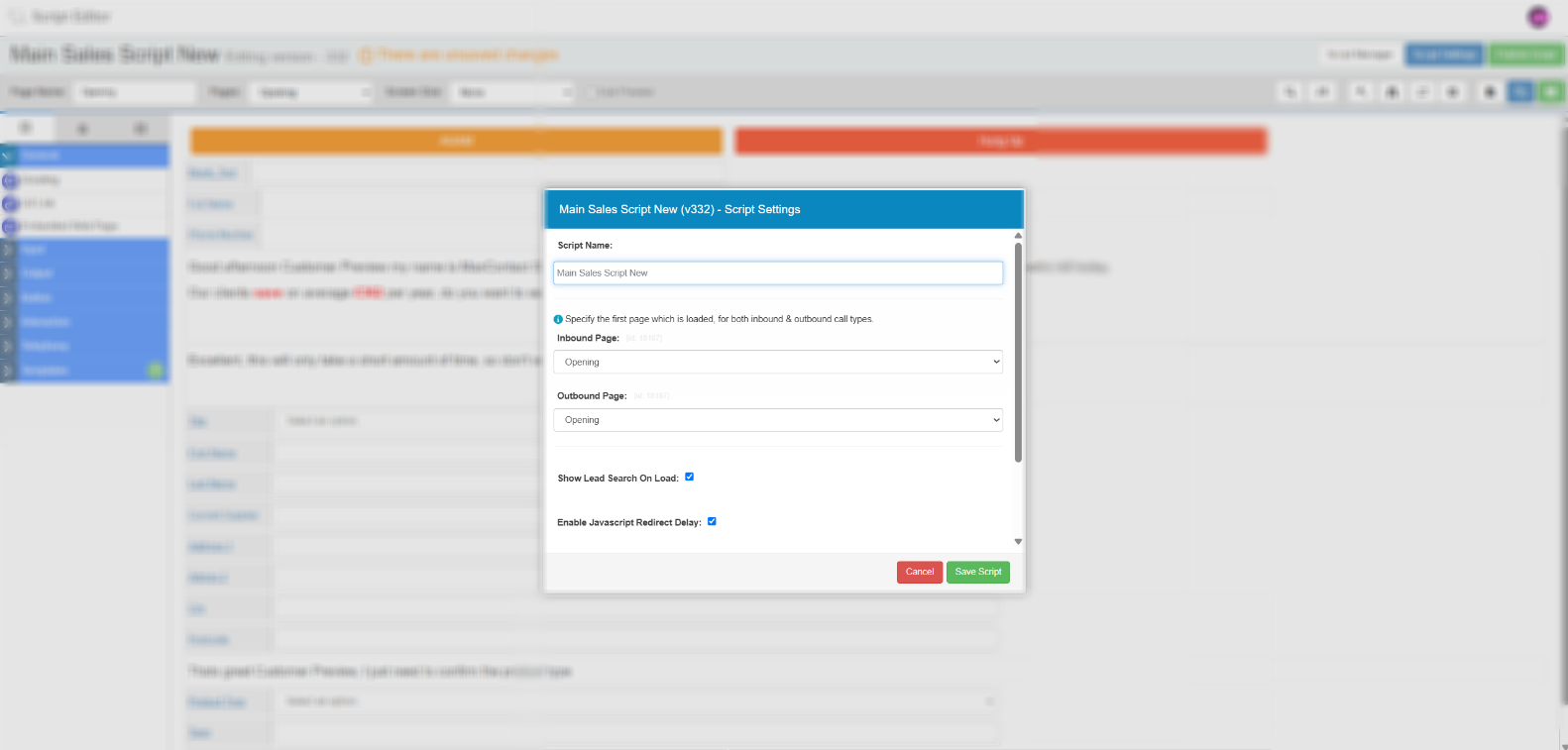
Select the Script Settings button in the toolbar to open the script-level configuration panel.
| Setting | Description |
|---|---|
| Script name | The name of the script. Can be changed here. |
| Inbound page | The first page shown to agents when an inbound call is presented. |
| Outbound page | The first page shown to agents when an outbound call is presented. |
| Default background colour | The background colour applied to all script pages by default. Individual pages can override this using their own Page Background Colour setting. |
Select Save Script to apply any changes.
Page Settings
Select the Page Settings button (cog icon) in the toolbar to open the settings panel for the page currently displayed in the editor.
| Setting | Description |
|---|---|
| Page name | The name of the page. Can be changed here. |
| Don't record calls on this page | When enabled, call recording is automatically stopped when an agent navigates to this page. Useful for pages where sensitive information is captured, such as payment details. |
| Page background colour | Sets a background colour for this page only. When set, this overrides the default background colour defined in Script Settings. |
| Delete page | Removes the page from the script. Before deletion, the system checks whether any other pages or fields in the script depend on this page. If dependencies are found, a Fix button is presented to let you reassign those references before confirming. Select Done to complete the deletion. |
Tab Ordering
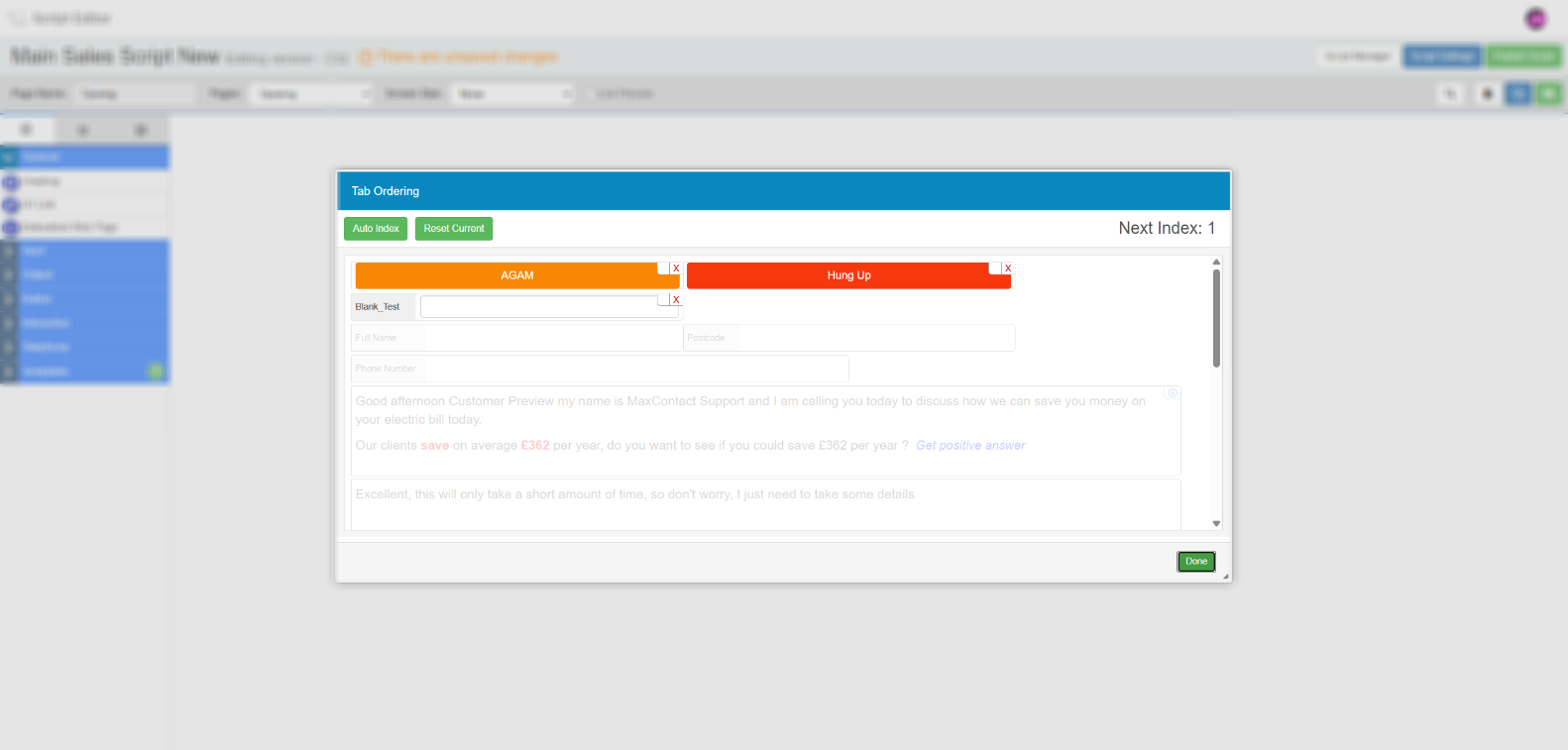
Tab Ordering controls the sequence in which agents move through fields on a script page when pressing the Tab key. This is useful for speeding up data entry on pages with multiple input fields.
Select the Tab Ordering button in the toolbar to open the tab ordering screen. Fields with no order assigned will show blank squares next to them.
| Option | Description |
|---|---|
| Manual ordering | Select fields in the order you want agents to tab through them. A number appears next to each field as you select it, showing its position in the sequence. |
| Auto index | Automatically assigns a tab order based on the most logical field sequence, determined by the position of fields on the page. |
| Reset current | Clears the current ordering so you can reassign the sequence from scratch. |
Select Done once you are happy with the order.
Field Finder
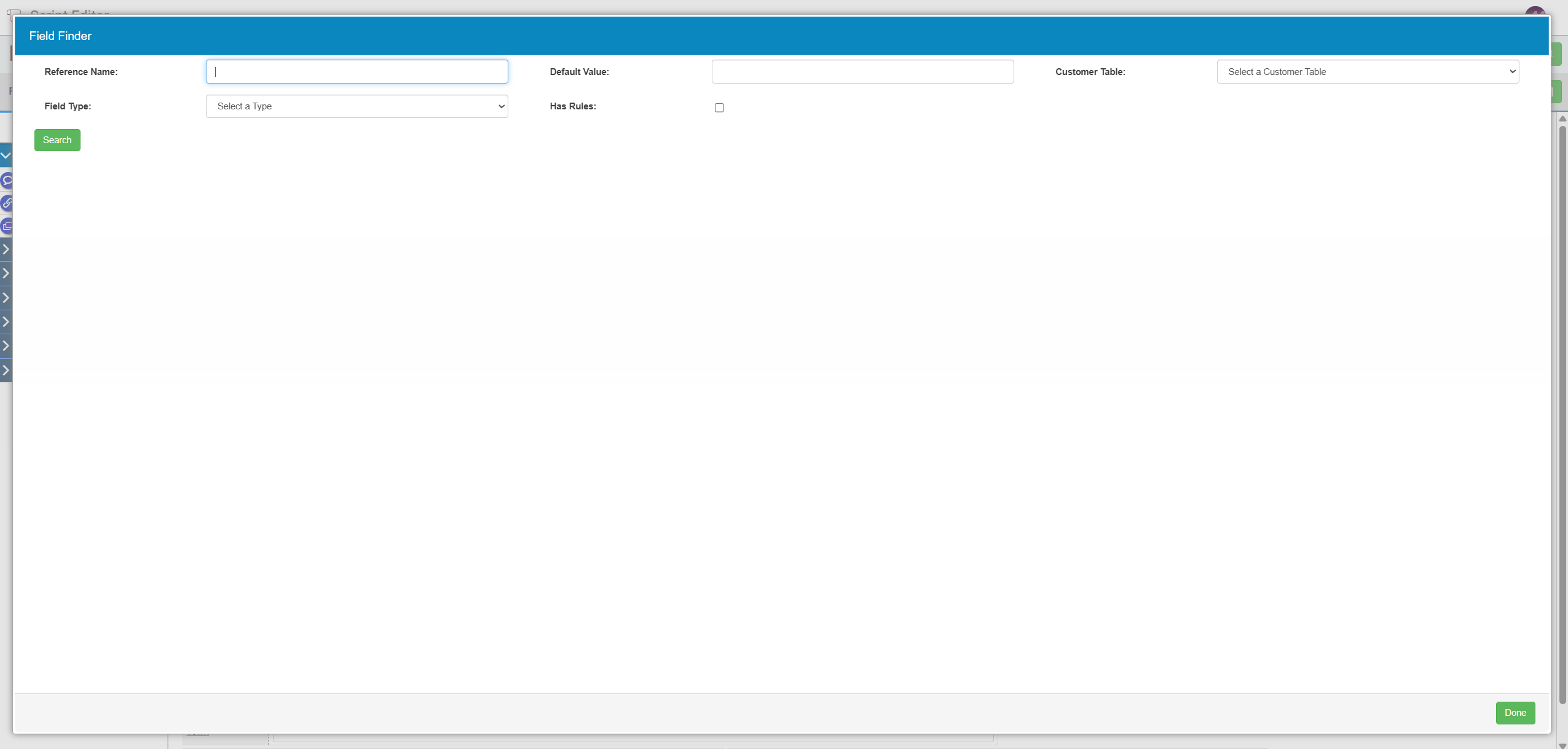
Field Finder lets you search and filter all fields across a script page, giving you a structured summary of their configuration. It is particularly useful on complex scripts with a large number of fields, or when you need to find every field mapped to a specific database column or involved in a rule.
Select the Field Finder button in the toolbar to open the panel.
Search filters
| Filter | Description |
|---|---|
| Reference name | Search by the system reference name assigned to the field. This is not the same as the label visible to agents. |
| Default value | Filter by a specific default value configured on the field. |
| Customer table | Filter to show only fields mapped to a specific database table. |
| Customer field | Available once a customer table is selected. Filter to show only fields mapped to a specific column within that table. |
| Field type | Filter by field type — for example, Input Field, Dropdown, or Navigation Button. |
| Has rules | When enabled, filters to show only fields that are involved in at least one rule. |
Results columns
| Column | Description |
|---|---|
| Name | The reference name of the field. This is not the agent-facing label. |
| Page | The script page the field is on. |
| Type | The field type. |
| Has rules | Indicates whether the field is involved in any rules. |
| Default value | The default value set on the field, if any. |
| DB mapped | Indicates whether the field is mapped to a database column. |
Select any field in the results to view its full details in the right-hand panel. From there you can open the field editor or the rule editor directly. Once you have made your changes, you are returned to the Field Finder results.