
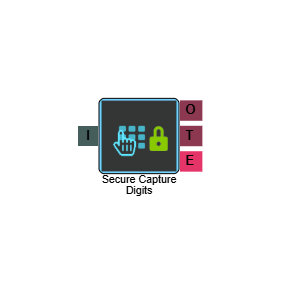
Secure Capture Digits
The Secure Capture Digits element captures digits entered by a caller in a way that meets PCI-DSS requirements. Sensitive information captured by this element is not stored in the database and is not present in any trace logs, providing complete assurance that your IVR payment process within MaxContact is fully compliant.
Secure Capture Digits is configured in the same way as the Capture Digits element, with one important difference in how the output value is referenced and used. See Output below for details.
Connections
| Connection | Description |
|---|---|
| I – Input | The entry point for this element. Connect from the preceding element in your IVR flow. |
| O – Output | The path taken when the caller has successfully entered their digits. |
| T – Timeout | The path taken if the caller does not enter any digits within the configured timeout period. |
| E – Error | The path taken if the element encounters an error. |
Settings
| Field | Description |
|---|---|
| Name | Give the element a clear name so it is easy to identify within your IVR flow. |
| Description | Optional. Add a note to explain the element's purpose — useful in more complex flows. |
| Agent Can See This | When enabled, agents can transfer a live caller directly to this element via the IVR Transfer option. |
| Supervisor Can See This | When enabled, the element is visible in the IVR Transfer list for users with a Supervisor role. It remains hidden from all other users. |
| Result Code | Assign a result code to this element. This result code is applied if the caller disconnects while in the element. |
| Clear Digits Buffer | When enabled, clears any digits previously pressed by the caller before this element is reached. |
| Min Digits (Len) | Set the minimum number of digits the caller must enter. |
| Max Digits (Len) | Set the maximum number of digits the caller can enter. |
| Retries | Set the number of times the caller can retry entering their digits before the call follows the Error (E) path. |
| Terminate Digit | Set the key a caller presses to confirm they have finished entering their digits, can be either * or #. |
| Timeout (s) | Set how long the element waits for a response before timing out. |
| Digits Validation | Select a validation rule from the dropdown to check the digits entered by the caller meet the expected format. |
| Validation Fail Phrase | Select the audio file to play if the caller's entry fails validation. |
| Phrase | Select the audio file to play to the caller when they reach this element — typically a prompt instructing them to enter their details. |
Output
The Secure Capture Digits element differs from the standard Capture Digits element in how its captured value is referenced. The output is stored as elementname.secure rather than elementname.digits.
The output from this element can only be passed to a payment provider element or a web API element. It cannot be used in other elements such as the Compare element or the Text to Speech element. This restriction is part of how PCI-DSS compliance is maintained.