

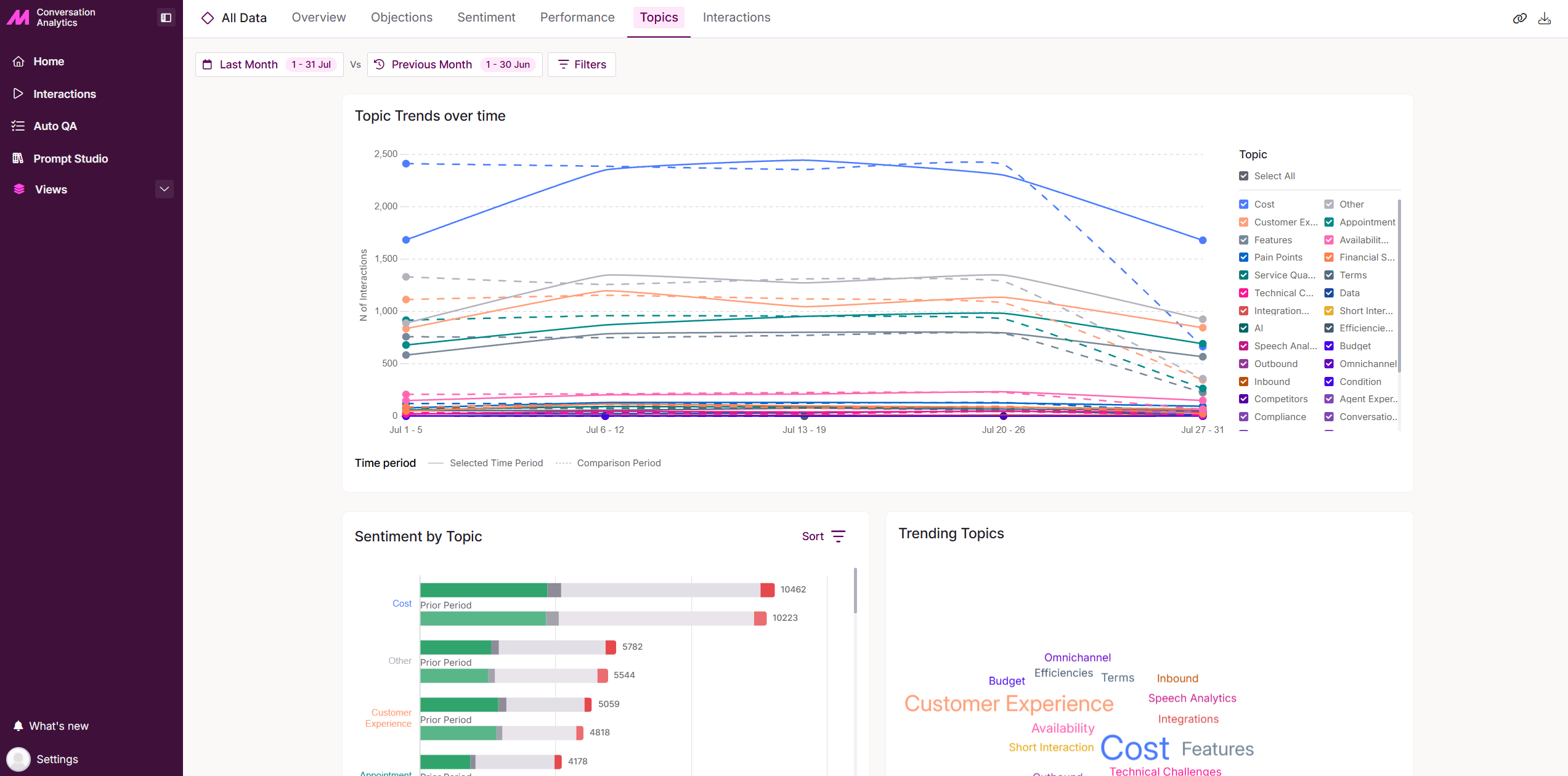
Topics
The Topics tab identifies the themes and subjects being discussed across your calls, helping you track trends over time and see how sentiment varies by topic.
Topic Trends over time
Within the selected date range, the line chart shows the number of calls across each topic type. Narrow the view to specific topics by selecting or deselecting them in the right-hand menu.
Solid lines represent data for the selected period, while dashed lines show the comparison period.
Sentiment by Topic
Analyse sentiment by topic to see whether specific topics lean more positive or negative. See Sentiment to learn more.
Trending Topics
The Trending Topics pane shows up to 21 topics that the analytics engine has identified from the calls it's analysed within the selected time period.
Hovering over a topic shows how many times it was identified across your calls, along with the percentage of calls in which it was mentioned.
Select a topic word to open a pop-up for it. From here, select View Interactions to go to the Interactions page and view and listen to the calls involved.