
An IVR element that allows the system to capture digits in a manner that meets PCI-DSS requirements. This element works in a way that ensures sensitive information is not stored in the database and is not present in any of the trace logs. This provides complete assurance that your IVR payment process within MaxContact is fully compliant.
Secure capture digits is configured in the same way as the capture digits element.
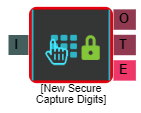
Properties
I = Input
O = Output
T = Timeout
E = Error
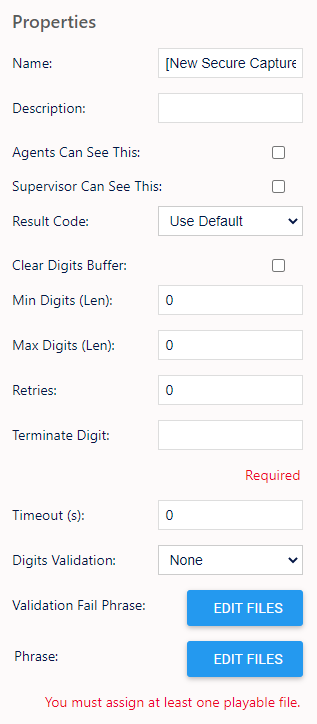
Name, Description - On each IVR element, you can add a name and a description of the element.
Agent Can See This - This means that if the inbound call comes through to an agent, they can select this to transfer the caller to this IVR element.
Supervisor Can See This - Anyone with the role type set as 'supervisor' within their main role, will be able to see the option but no-one else.
Result Code - You can assign a result code to the IVR element.
Clear Digits Buffer - Checking this will clear any previous digits pressed by the customer.
Min Digits (Len) - You can set a minimum digit length here.
Max Digits (Len) - You can set a maximum digit length here.
Retries - You can set a retry limit here.
Terminate Digit - Here, you can set the terminate digit - "When finished, press the # key."
Timeout (s) - You can set the length of time to timeout if there is no response from the customer. After this it will retry.
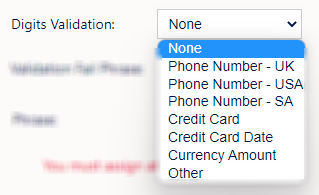
Digits Validation - Here, you can select from a drop down menu of default validation rules. The options being;
Validation Fail Phrase - Here, you can assign an audio file to play if the details the customer gives fails validation.
Phrase - Here, you can assign an audio file to play when the customer gets to this element.
Output
The secure capture digits elements differs to the capture digits element in that the output for it is ‘elementname.secure’ instead of ‘elementname.digits’. As well as this change, the output from this element can only be used by the payment provider element or the web API element, which means that the output can not be used in elements such as the Compare element or Text To Speech element.