
What is it?
The purpose of this feature is to simplify complex IVR flow that could route to many different directions based on set criteria. For example, based on the value of a customers account, you could route the call to a higher skill or priority agent to deal with the call.
Properties
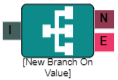
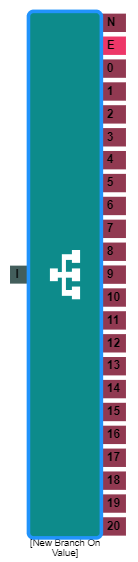
I = Input
N = No Match
E = Error
0,1,2,3 = Values can be added up to 20 on each branch element
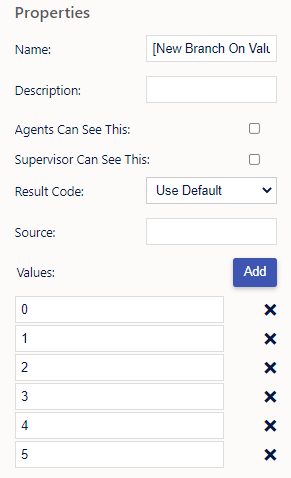
Name, Description - On each IVR element, you can add a name and a description of the element.
Agent Can See This - This makes the element visible to an agent during a live call when they view the IVR/Workflow transfer option, enabling them to transfer the customer into the IVR
Supervisor Can See This - Anyone with the role type set as 'supervisor' within their main role, will be able to see the option but no-one else.
Result Code - You can assign a result code to the IVR element. This result code will be used upon a customer disconnecting the call while in the element.
Source - The name of a field from the lead table, tag or previous IVR element to compare the branch values to, E.g. call.dnis
Values - Upon clicking the 'Add' button, you can assign values to as many route options as required.
Common Scenarios
Set the Source to call.dnis and create branches to direct calls one way or another based on the call’s DNIS value.
Set the Source to digits entered in a previous IVR Menu or Capture Digits element to route the call without having to take the caller back to the same menu.
Use it to check the results of an API Request and redirect the call one way or another.