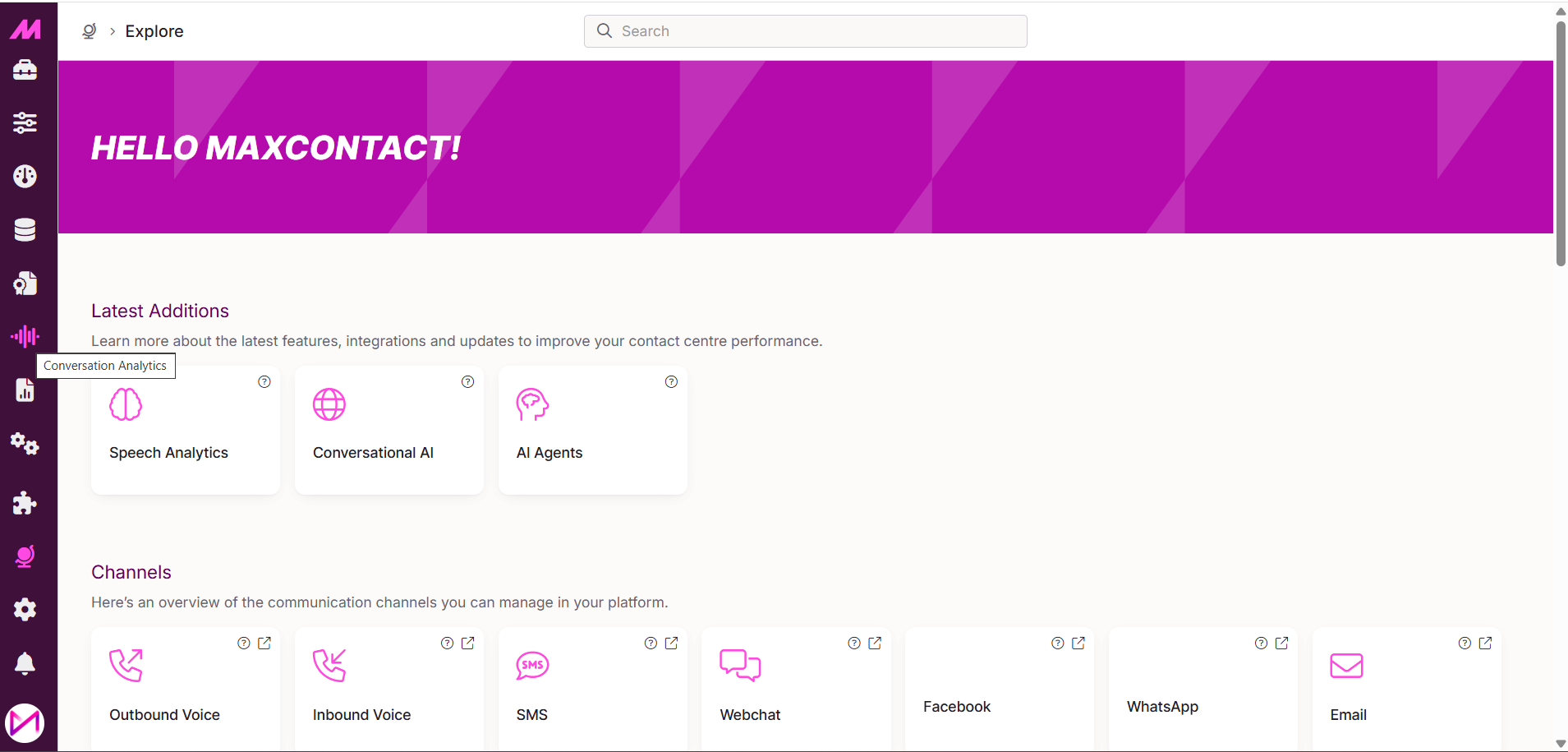
Once you have been through the onboarding process and received your training, the feature will be switched on within the MaxContact portal.
To allow access to your admin users, you simply need to navigate to the Permissions page of MaxContact and enable 1 permission for users in the role/roles you require.
Enabling Conversation Analytics
The process of enabling Conversation Analytics grants access to the portal for Admin users. It does not need to be enabled on all users for it to analyse their calls.
Firstly, head over to the Permissions page, which can be found under the Settings tab.
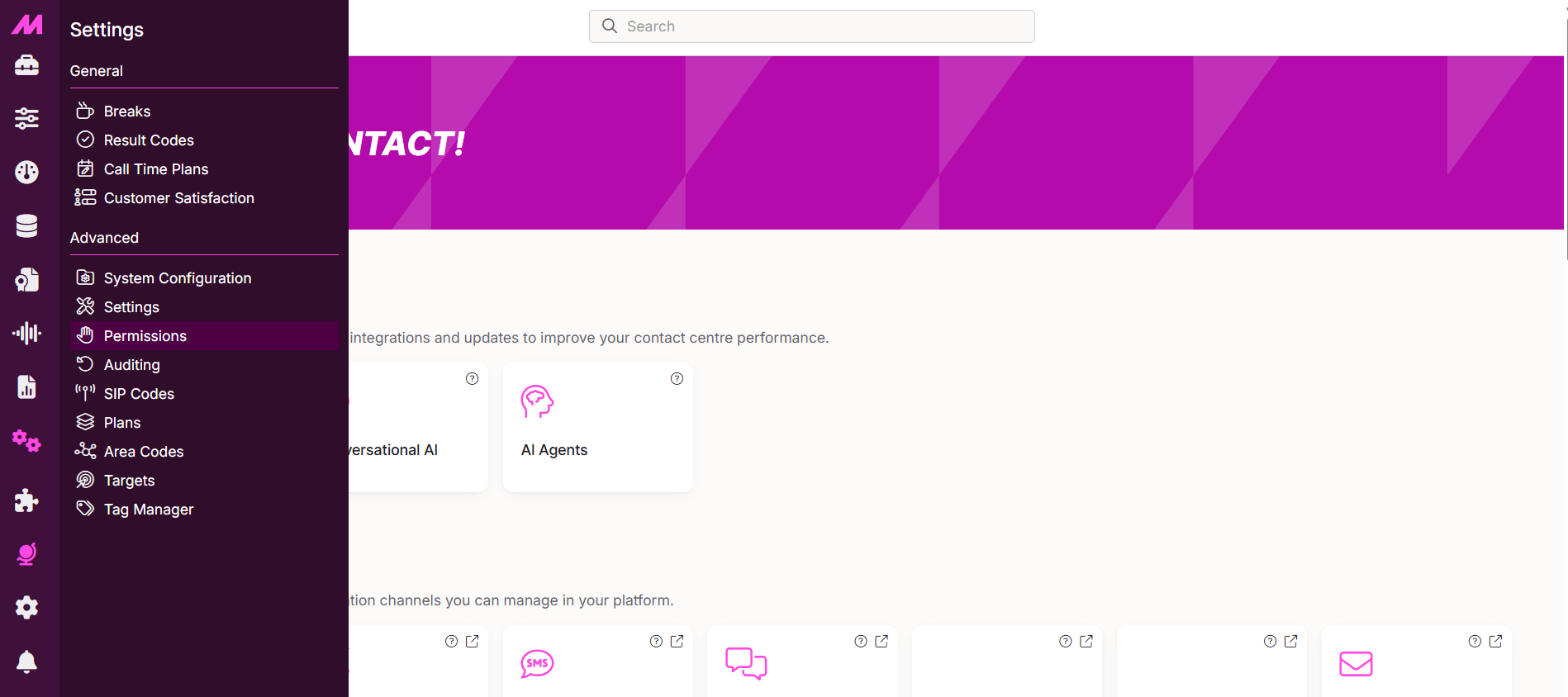
Select the Role that you wish to grant access to the Conversation Analytics dashboards to.
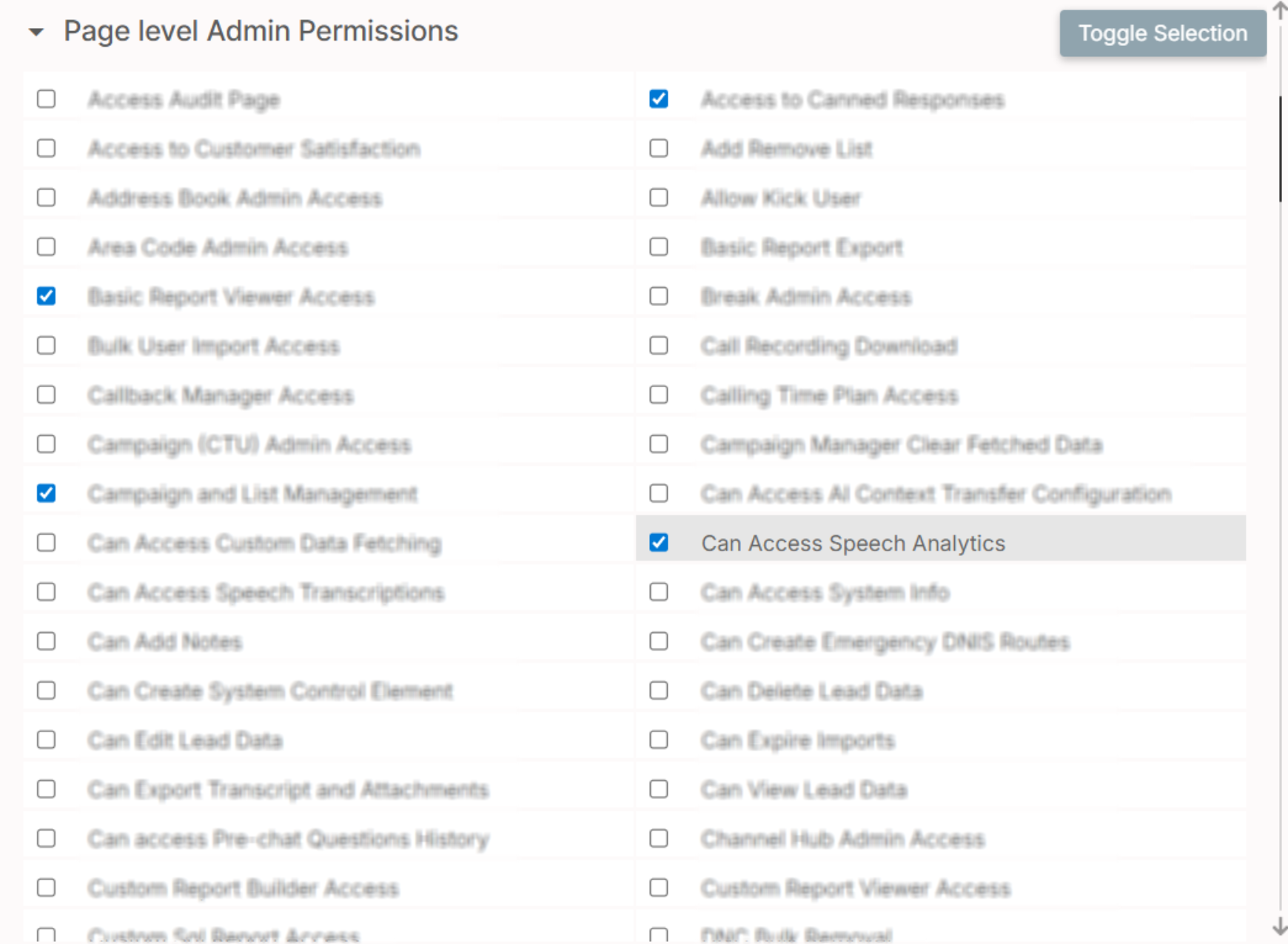
Enable the checkbox for "Can Access Speech Analytics" which is within the Page level Admin Permission grouping. Make sure to save the changes made to the selected Role.
Please note
Users will need to log out of the system then back in for the changes to permissions to take effect.
Once logged back in, Users will now be able to access Conversation Analytics through the menu icon.