
Set Property
The Set Property element saves information collected during a call to a specified destination. Data can be saved as IVR captured data, as a call property, or as a dynamic property against the call. This makes the data available for use in other elements later in the IVR flow — for example, passing a reference number captured via a Capture Digits element into a Branch element for routing.
Connections
| Connection | Description |
|---|---|
| I – Input | The entry point for this element. Connect from the preceding element in your IVR flow. |
| O – Output | The path taken once the property has been set. |
| E - Error | The path taken if the element encounters an error. |
Settings
| Field | Description |
|---|---|
| Name | Give the element a clear name so it is easy to identify within your IVR flow. |
| Description | Optional. Add a note to explain the element's purpose — useful in more complex flows. |
| Destination | Select where the data should be saved. The available destination types are:
|
| Source | Select where the value being saved should come from. The available source types are:
|
 |  |
Example
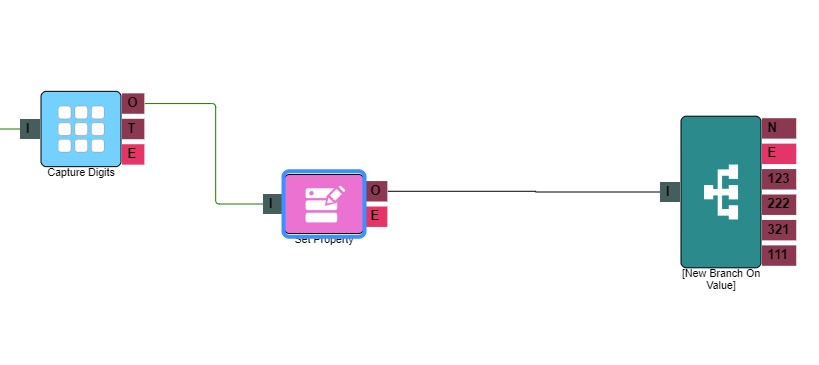
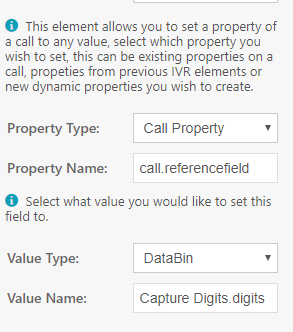
In the example above, a Capture Digits element collects a reference number from the caller. The Set Property element then takes that value — stored in the DataBin as Capture Digits.digits — and saves it to a call property named referencefieldId. A Branch element later in the flow reads this call property using call.referencefieldId as the source, and routes the call based on the value.