
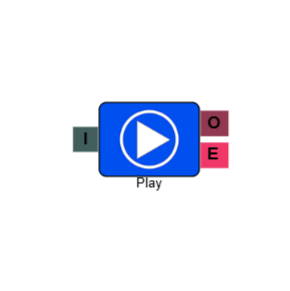
Play
The Play element plays one or more audio files to the caller at a defined point in the IVR flow. It is commonly used to deliver informational messages, terms and conditions, or announcements before routing the caller to a queue or menu.
Connections
| Connection | Description |
|---|---|
| I – Input | The entry point for this element. Connect from the preceding element in your IVR flow. |
| O – Output | The path taken once all audio files have finished playing. |
| E – Error | The path taken if the element encounters an error — for example, if an audio file cannot be found. |
Settings
| Field | Description |
|---|---|
| Name | Give the element a clear name so it is easy to identify within your IVR flow. |
| Description | Optional. Add a note to explain the element's purpose — useful in more complex flows. |
| Agent Can See This | When enabled, agents can transfer a live caller directly to this element via the IVR Transfer option. |
| Supervisor Can See This | When enabled, the element is visible in the IVR Transfer list for users with a Supervisor role. It remains hidden from all other users. |
| Result Code | Assign a result code to this element to track calls that pass through it. |
| Jukebox Rotation | When enabled, the element rotates which audio file plays first each time a caller enters it. |
| Phrases | Click Add to select one or more audio files to play. Files are played in the order listed, from top to bottom. You can add multiple files — for example, to play a welcome message followed by a terms and conditions recording. For best audio quality, we recommend uploading files in WAV format, 16-bit, 8kHz, mono. |
Jukebox Rotation
When multiple audio files are added to the Play element, Jukebox Rotation controls which file plays first each time a caller enters the element. Without it enabled, files always play in the same top-to-bottom order. With it enabled, the starting file rotates automatically, so different callers hear a varied sequence.
To illustrate how this works, take three files: Music_A, Music_B, and Music_C.
| Rotation | Play order |
|---|---|
| Off (default) | Music_A, Music_B, Music_C |
| After first rotation | Music_B, Music_C, Music_A |
| After second rotation | Music_C, Music_A, Music_B |
By default, the rotation occurs every three minutes. If you need to adjust this interval, contact the support team.