
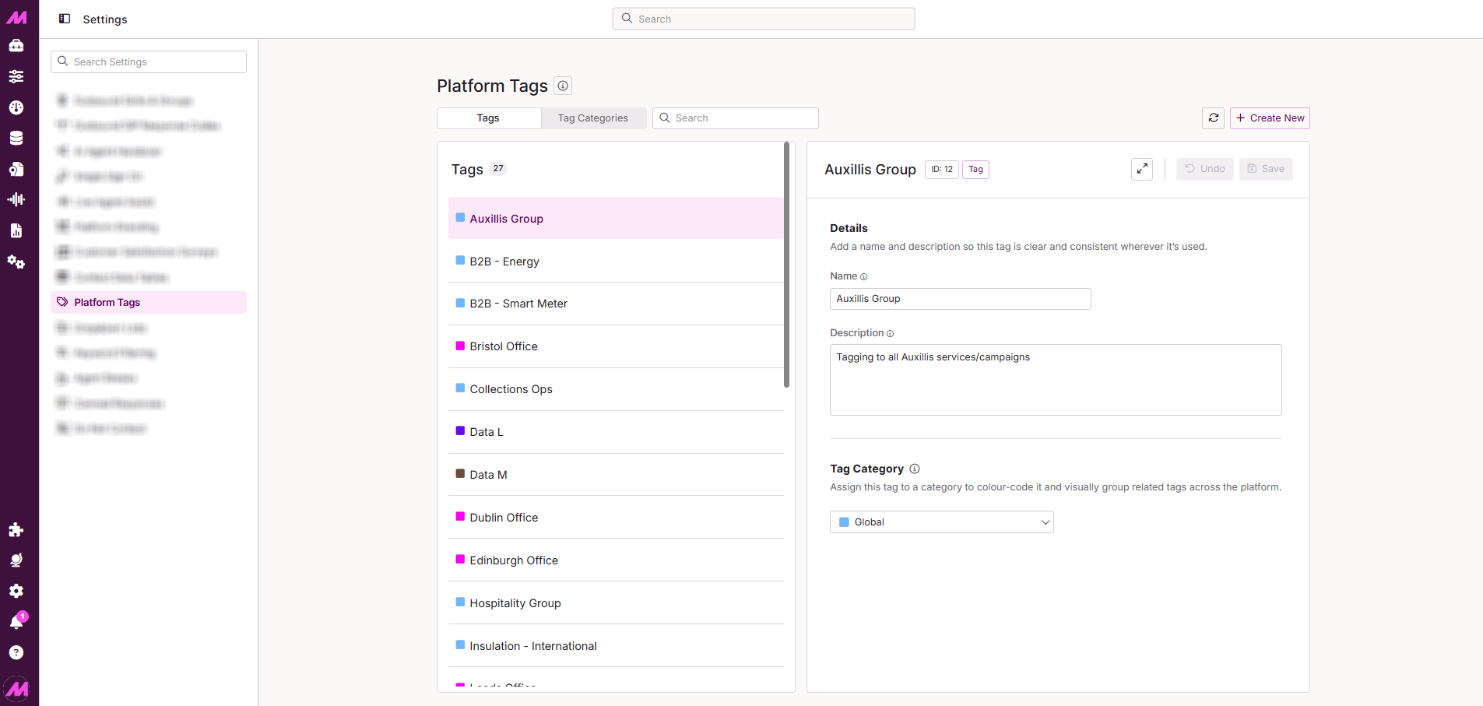
Platform Tags
The Platform Tags page is where you create and manage the tags and tag categories used across the system. Tags let you control the visibility of campaigns, lists, inbound numbers, teams, and users — restricting what each agent can see based on the tags assigned to them.
To access it, go to Centralised Settings > Platform Tags.
Note. This page was previously titled Tag Manager and accessed via the Admin menu. It has since moved to Centralised Settings as part of the Management Hub project and is now titled Platform Tags.
Page controls
| Control | Description |
|---|---|
| Tags | Shows all tags created on the system. From here you can create new tags or edit existing ones. |
| Tag Categories | Shows all tag categories created on the system. From here you can create new categories or edit existing ones. |
| Refresh | Reloads the page to pull in any changes made by other users since the page was last loaded. |
| Add | Creates a new tag or tag category, depending on which view is active. |
| Undo | Reverts any unsaved changes. This will not work once the Save button has been used. |
| Save | Saves any changes or additions made on the page. |
Tags tab
The Tags tab lists all tags on the system in the left-hand panel. Select a tag to view and edit its details in the right-hand panel.
| Field | Description |
|---|---|
| Name | The name of the tag. Displayed wherever the tag is assigned across the system. |
| Description | An optional description of the tag's purpose. Useful as the number of tags grows. |
| Tag category | Assigns the tag to an existing category. Categories are colour-coded, so the tag will inherit the colour of its assigned category. |
Tag Categories tab
The Tag Categories view lists all categories on the system in the left-hand panel. Select a category to view and edit its details in the right-hand panel.
| Field | Description |
|---|---|
| Name | The name of the category. Displayed alongside the associated colour wherever tags are shown. |
| Colour | The colour assigned to this category. All tags within this category inherit the colour. See the note on category colours below. |
Note. There are a maximum of 36 colours available for tag categories. Three default categories — Global, General, and Data — are included in this total but can be edited. Once a colour is assigned to a category it cannot be used on another, so we recommend keeping at least one colour spare in case you need to change a category colour in the future.